Publisher's Description
From Stardock:
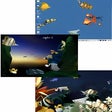
DesktopX is a program that lets you design your very own desktop. Use widgets to enhance your desktop experience or build a completely new desktop interface from scratch. The program includes support for hot keys that can hide and show desktop widgets, and it supports animation, sound, and other features that can really turbocharge your Windows experience. It includes tools to make it easy to create your very own desktop designs and widgets.
Version 3.5 adds support to exporting content as Windows Vista sidebar gadgets and a host of improvements to support Windows Vista.
What's new in this version: Version 3.5 adds support to exporting content as Windows Vista sidebar gadgets and a host of improvements to support Windows Vista.
-
All versions:
3.9 starsout of 98 votes
-
Current version:
2.8 starsout of 13 votes
-
My rating:
Write review
-
"Great Coding, tool building and gadget using experience"
Version: DesktopX 3.5
Pros
Code anything while objects on your desktop respond to your clicks and code in realtime. Deploy them to a gadget. Good for learning, agile development of desktop apps and customizing.
Cons
Compatibility issues with new OS.
Summary
A great, very unique Builder. Please keep updating, don't let it die.
-
"Stardock must think their apps are worth paying for"
Version: DesktopX 3.5
Pros
Widgets, I guess
Cons
But xwidget is MUCH better AND FREE
Summary
I think I will stay away from Stardock apps now as they all cost money and their appear to be better, free alternatives.
-
"Great if you can master it,"
Version: DesktopX 3.5
Pros
A great eye-candy for those who love effects.Increases speed of access to programs after customization.
Cons
Consumes a lot of memory,needs detailed understanding to customize it well.Tutorials could be simpler.
Summary
Initially a shock to see your original desktop disappear,but more than makes up when you start using it.
-
"not worth the risk"
Version: DesktopX 3.5
Pros
customizable themes
desktop widgets
lots of tweaksCons
very very confusing for amateurs. You could easily end up rouining your desktop with this one piece of software. Sometimes may refuse to uninstall itself and that would mean disaster
Summary
If i was you i wouldnt download this. Its too much of a risk - and if you do i would advise a complete system backup and you to download a trustworthy uninstaller program - the best probably being revo uninstaller. I wouldnt think it is worthwhile going through all of this trouble to just use a risky software to customize your desktop - and run the risk of losing everything.
-
"Cool but hard to learn"
Version: DesktopX 3.5
Pros
Very good program to customized and create all kinds of icon effects and themes
Cons
If you don't know what your doing you can do alot of damage to your desktop and won't be able to get it back the way you have it. Not an easy program to master.
Summary
For you people that are having problems and want to uninstall it download revo uninstaller and you can force uninstall it. download link http://www.revouninstaller.com/revo_uninstaller_free_download.html
-
"disapointed"
Version: DesktopX 3.5
Pros
none that i thought to many buggy items
Cons
nost of the desktops and objects had bugs and other issues that made desctop x shutdown and when i was ready to uninstall it wouldnt let me
Summary
waist of time
-
"Maybe I'm just not experienced? HELP!"
Version: DesktopX 3.5
Pros
Looks cool. That's about it.
Cons
Too many to list. Not recommended if you don't know a whole lot about computers.
Summary
This thing has taken over my computer. I downloaded this and not I cannot access my start menu or any of my icons! Is this normal? Do I need to somehow manually make each of these things visible? I am on Windows XP which it says is compatible. Not sure what is going on here but it is really annoying and I can't use my computer! (there are four icons showing: wordpad, calculator, stardock.com, and wincustomize.com). I have to follow the wincustomize.com link just to get to the internet! I do not recommend this for anyone who isn't experienced.
-
"Stardock - desktopx and others"
Version: DesktopX 3.5
Pros
I pretty much like everything about this software along with the others they have.
I purchased one of their packages and I must agree with the fact that it does
take time to learn the functions etc., once you overcome
that hurdle,all I can is WOW !!Cons
can find any so far :-) if I do I will come back and post it.
Summary
Bottom line is, if you invest in the time of learning (lots of tutorials posted) your
time will be fruitful !!
I am having a ball with these programs and how cool my pc is looking :-) What I like the most is that this software is safe from bugs etc.......many programs online "especially free ones" are filled with so much junk it is not worth taking the chance of your pc catching the H1N1 lolllll and not making it !!! and the bills you will have making your pc all well again,,,,
Have fun :-) -
"Seems to be a great tool"
Version: DesktopX 3.5
Pros
The potential to make my own themes
Cons
Very hard to understand and figure out how to work, need some very detailed tutorials
Summary
If you can figure out how to use it, the customization possibilities are enormous
-
"I HATE this program!!!!!!!!!!"
Version: DesktopX 3.5
Pros
NOTHING!!!!!!!!!
Cons
I CAN NOT uninstall it. PLEASE PLEASE tell me how to do so!!!!!!!
Summary
Every time I try it won't let me. Please help me to uninstall this awful program.
Add Your Review
Submit your reply
E-mail this review
Report offensive content
Full Specifications
What's new in version 3.5
Version 3.5 adds support to exporting content as Windows Vista sidebar gadgets and a host of improvements to support Windows Vista.
General
- Download Type:
- CNET Secure Download
- Publisher
- Stardock
- Publisher Web Site
- http://www.stardock.com
- Release Date
- September 18, 2008
- Date Added
- September 18, 2008
- Version
- 3.5
Category
- Category
- Desktop Enhancements
- Subcategory
- Desktop Customization
System Requirements
- Operating Systems
- Windows 2000, Windows Vista, Windows XP
- Additional Requirements
- Windows 2000/XP/Vista
Download Information
- File Size
- 11.88MB
- File Name
- desktopx_public.exe
Popularity
- Total Downloads
- 5,266,698
- Downloads Last Week
- 522
Pricing
- License Model
- Free to try
- Limitations
- Not available
- Price
- $14.95
Previous Versions
More Products to Consider
- Bring back the Windows "Start" menu to Windows 8.Download
Installed
Smart Install - Return the Windows 7 style Start menu to Windows 8.Download
Installed
Smart Install - Run Windows 8 Modern applications in resizable windows on your ...Download
Installed
Smart Install - Clean up icon clutter on your desktop.Download
Installed
Smart Install - Place favorite Web links, program shortcuts, and widgets on a f...Download
Installed
Smart Install - Get dock with live icon reflections and speed up access to your...Download
Installed
Smart Install - Personalize your Windows 8 start and lock screens with your own...Download
Installed
Smart Install - Add and remove features to your system.Download
Installed
Smart Install - Put back Start Menu for Windows 8 or Windows Server 2012.Download
Installed
Smart Install