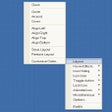
PasteItIn continually monitors the Windows Clipboard and automatically stores any text information you copy from any application. As you copy items, PasteItIn fills buttons with the information. You can then paste the items by simply pressing on each button as you need it. You can create multiple groups of buttons that can automatically pop up when you open a specific application or window.
It has a few temporary buttons to be filled in and then a few permanent ones. You can make the temporary ones permanent (the buttons would appear in the permanent buttons section).
Cons
It is kind of a slow process to do a long list of buttons. Spartan allows for 30, while PasteItIn allows for 4 at a time before it is full and you have to act on them. I would have prefer a temporary list of about 50 or more or a better solution.
Summary
You can group your buttons depending on what you want, but Spartan allows for more (It has many sheets that can be filled separatedly too). and more efficiently. Spartan also uses its cells as of they were buttons.<br /><br /><span class='notifyMsg'> Updated </span>on Jan 25, 2009<p/>If you do not save the temporary ones (make them permanent) it will replaced by the next copies. You can increase the number of your temporary and permanent buttons on the categories, but it is a slow process (one by one).