CNET Editors' review
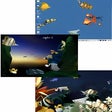
This desktop-enhancement tool changes both your wallpaper and screensavers randomly or at start-up with little hassle. Desktop Randomizer has a well-designed, skinnable interface. As with similar applications, you can browse your PC to upload an image file to add to your wallpaper collection. Unlike some in this class, you can upload a nice variety of image formats (JPG, BMP, GIF, PNG, PCX, or TGA). For your screensavers, you can only select from Windows' options, however. You can set the time intervals for changes or randomizing at start-up and selecting the wallpaper's position (center, tile, or stretch), although we had trouble changing the position from the default stretch. Though this program also detects your available screensavers and allows you to use them randomly, clicking the system-tray icon immediately forces the application to replace the current wallpaper. If you're looking to have fun with your wallpaper collections, we suggest you give this utility, which comes with a 21-day trial, a shot.Publisher's Description
From Desktop Randomizer:
Desktop Randomizer is a wallpaper and screensaver changer program that automatic randomize Windows wallpapers and screen savers in a specified period of time or at Windows startup. Whether you have a growing archive of images on your hard disk from your digital camera or an archive of images downloaded from Internet, Desktop Randomizer is a tool for you to enjoy your images while you are working and to make the Windows desktop nice-looking and permanently randomize within your collection. Desktop Randomizer is easy to use, after installation simply selects screen savers to randomize and add images to the wallpaper list; it can be whole folders or single files. All settings can be setup within the program as well as each wallpaper can have their own display settings like, tile, stretch & center.
Version 2.0 may include unspecified updates, enhancements, or bug fixes.
More Products to Consider
- Bring back the Windows "Start" menu to Windows 8.Download
Installed
Smart Install - Return the Windows 7 style Start menu to Windows 8.Download
Installed
Smart Install - Create multiple alerts which can alert you at a specific moment...Download
Installed
Smart Install - Enable clock with countdown, reminder, stopwatch, and desktop s...Download
Installed
Smart Install - Place favorite Web links, program shortcuts, and widgets on a f...Download
Installed
Smart Install - Enjoy this screensaver with scenic sites and pleasant music.Download
Installed
Smart Install - Clean up icon clutter on your desktop.Download
Installed
Smart Install - Decorate your desktop with images of clouds and landscapes.Download
Installed
Smart Install - Set unlimited numbers of alarm clocks on Windows.Download
Installed
Smart Install - Enjoy three animated images of plants and trees on your screen.Download
Installed
Smart Install - Get dock with live icon reflections and speed up access to your...Download
Installed
Smart Install - Transform your computer to a virtual dragon's lair in this desk...Download
Installed
Smart Install - Enhance your desktop with different widgets.Download
Installed
Smart Install - Visit the sea on an animated voyage to a beautiful lighthouse.Download
Installed
Smart Install - Enjoy the view of Plants & Trees on your screen.Download
Installed
Smart Install - Customize the look and feel of the Windows user interface.Download
Installed
Smart Install - Download an interactive cartoon girl who lives and plays on you...Download
Installed
Smart Install - Give your Windows 7, XP, or Vista cursor a wide range of effect...Download
Installed
Smart Install - Enjoy the view of plants and trees on your screen.Download
Installed
Smart Install - Create and stick electronic notes on your Windows desktop.Download
Installed
Smart Install - Watch astronauts explore outer space.Download
Installed
Smart Install - Decorate your desktop with countryside pictures.Download
Installed
Smart Install - Wake up/remember important event to your favorite songs.Download
Installed
Smart Install - Explore outer space with this planetary theme screensaver.Download
Installed
Smart Install
-
All versions:
3.0 starsout of 3 votes
-
Current version:
2.0 starsout of 2 votes
-
My rating:
Write review
Results 1-1 of 1
-
"Does Not Change Screensavers"
Version: Desktop Randomizer 2
Pros
Pros: It handles wallpapers nicely. But, there are plenty of FREE wallpaper handlers. I was looking for a program to randomize my screensavers.
Cons
Cons: It simply did not work. There were not a lot of settings. I checked, and double-checked. I had it configured to switch screensavers every six minutes. After five or six tries of it not working, I re-checked my settings, read through the help manual. Everything was set. It just did not plain work.
Now here is what -really- peeved me. Within its program menu on the start menu, there was no uninstall option. OK. Annoying. I go to ADD/REMOVE on Control Panel. It was NOT listed. I went up and down the list carefully because I had never experienced a program not listing there. It really wasn't there. I had to go to the program's file folder (under C:/Program Files) and use the uninstall icon that was present in its folder. I'm lucky because I knew what to try next after it was not on the add/remove applet under control panel. But how many casual or new users would?