Used SysTools Excel to vCard Converter for Windows?


Clicking on the Download Now (Visit Site) button above will open a connection to a third-party site. Download.com cannot completely ensure the security of the software hosted on third-party sites.

Editors’ Review

Download.com staff
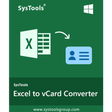
This application smoothly converts Excel contacts into vCard format, enabling easy transfer across various devices and email clients. It supports multiple contacts and single VCF file creation.
  • Pros

    • Exports Excel contacts to VCF/vCard format
    • Previews Excel file data before conversion
    • Offers intuitive Field Mapping for columns
    • Supports batch conversion of multiple contacts
    • Generates individual VCF files per contact
  • Cons

    • Requires Microsoft Excel installation
    • Demo version limits email and phone number visibility
    • Full functionality requires a paid license

Used SysTools Excel to vCard Converter for Windows?


Explore More


Full Specifications

GENERAL
Release
Latest update
Version
5.0
OPERATING SYSTEMS
Platform
Windows
Operating System
  • Windows 2000
  • Windows Vista
  • Windows 7
  • Windows 8
  • Windows XP
  • Windows 10
  • Windows Server
  • Windows 2003
Additional Requirements
None
POPULARITY
Total Downloads
4,667
Downloads Last Week
0

Report Software

Program available in other languages


Last Updated


Developer’s Description

Export XLS contacts into vCard or VCF format.
SysTools Excel to vCard Converter application is a powerful creation to export Excel contacts into a vCard file format. The application extracts all the official as well as commercial contacts from an Excel spreadsheet and saves it in VCF/vCard format. Altogether, the utility has an outstanding power to let a user make the business connection stronger. The software also provides several features that can move contacts of Excel spreadsheet to vCard or VCF format.

It loads and shows the preview of Excel file along with rows and columns of the XLS/XLSX spreadsheets. One can easily map Excel columns with vCard using the option of Field Mapping. This converter tool is capable to export multiple Excel contacts in one go. Excel to vCard application allows creating a single .vcf file for each contact. There is an option to import an empty email address to .vcf format. The user can easily transfer or move Excel contacts to vCard file format with the help of different languages. The imported VCF file can be accessed in multiple email applications, Android and iPhone devices. It is required to install Microsoft Excel on your local system in order to convert .xls file to vCard format. The Free Demo Version of the product can be downloaded without any cost, from its official website. But, it displays only first 5 characters of the email address and first 8 characters of a mobile or phone number. To export and save the complete and unlimited e-mail address as well as contact numbers, it is required to upgrade to its licensed version at only $29.


Download.com
Your review for SysTools Excel to vCard Converter