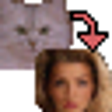
Although it really only handles one photo-editing job, this free program nevertheless makes a handy tool. True to its name, SmartMorph lets you blend pictures in several ways. You can superimpose one image over another, or you can create an animation where one shot gradually morphs into the other. However, the program only lets you save your animations in the proprietary SMO format; we would have liked to been able to create them as animated GIFs or SWFs. In addition to its main duty, SmartMorph also lets you resize and rotate shots, as well as apply several very simple filters for sharpening and smoothing. The interface isn't overly cluttered with needless icons, but it could be more clear-cut, as we had to consult the help menu to figure out how to create animations. SmartMorph may be a one-trick pony, but anyone who routinely works with images will likely find it useful in certain situations.
Thought it was ok but was not what I was looking for to do the things I needed to do.
Cons
Nothing that I could see.
Summary
powerhouse in a small package!
hjuder46
Pros
I found it extremely intuitive to use, and after reading remarks about reading the tutorial I'm excited to learn more and do more. As a person who "reads the manual last" the program would flash warning signs about what I was doing, so it was GREAT
Cons
nothing at all
Summary
This is so much fun I want to do it all the time! I am making gif files and morphs for friends birthdays, graduations, gag gifts, and everyday friendships. One of the best features for me is the comparative sizing of the pics so good results are acheived quickly and efficiently.
fair, nothing terrific
lawrencewade
Pros
easy to load
Cons
not terribly useful.
Summary
minimally useful. would not buy.
Simple and Sweet
GripeApe
Pros
Easy to use - brief 3 minute read of the manual/tutorial is necessary and invaluable. Info in CNET review is incorrect (at least for latest version), as images can be saved as animated gifs in addition to a variety of other movie formats.
Cons
It doesn't magically take two images that have vastly different pixel size and resolution and crop/adjust them so you don't have to do any work at all;-) I used IrfanView for that and it took all of 15 minutes to get my first morph up and running in no time at all.
Summary
A Great Project
shootingstars_wishinghear
Pros
I love it. Within in hours of installing this program, I had several morphs saved and uploaded online. It is fairly easy to use once you learn how.
Cons
You can only morph 1 picture into another with the free version, and it took using the tutorial to learn the program.
Summary
Pretty cool program.
gothrock06
Pros
It is entertaining for a while and lends some inspiration.
Cons
Gets boring and pointless after a while.
Summary
Not particularly useful, but fun.
noodlz15
Pros
Just as the publisher states, it's not exactly useful for anything but amusement, but by the same token, it is indeed fast and fairly simplistic in its use.
Cons
None that I can think of.
Summary
Simple and easy to use and works great.
Dr_Morbius
Pros
It's easy to use and works flawlessly and is fast and produces great images even when you're doing complex morphs.
Cons
Documentation is kind of sparse but the program is so easy to use it doesn't really need it.
Summary
It's Free. It Works. Read the Manual.
Nordscape
Pros
Glance over the manual & tutorial and you won't be thrown off. Exports to .AVI .GIF .JPG .MNG .PNG .BMP .EMF .WMF .PCX under less conventional methods. Thanks to the programmers for including a tutorial.
Cons
A reviewer pointed out something rather obvious, though. In 99% of the apps we use, to effect output is usually done under the File menu. This disregard to common interface conventions could be disappointing, overshadowed by how well the program works, and the "Hey,it's free!" convention. A simple 5 minute read fixes that.