Used Serva for Windows?
Editors’ Review
Serva is a compact and efficient network tool that streamlines complex PXE network boot and installation scenarios. A comprehensive Automated PXE Server Solution Accelerator, this free application bundles all necessary protocols into one executable. Similar tools in this specialized field include WDS or RIS server alternatives.
Top Recommended Alternative
This portable tool delivers Windows and non-Windows assets to both UEFI and BIOS-based targets, including ARM 32/64-bit systems. Serva integrates proxyDHCP services, allowing administrators to manage network deployments easily. It is an excellent choice for IT professionals who need a fast, reliable, and multi-threaded solution for network imaging and file delivery tasks.
The interface is remarkably simple and comprehensive, allowing users to configure settings without a steep learning curve. Because it is a native C/C++ application, it operates with impressive speed. The program does not require installation and avoids cluttering the Windows registry, making it a truly portable utility. It performs well for setting up HTTP, FTP, or TFTP servers for efficient file delivery across various environments.
Simplified network deployment for administrators
Beyond basic file transfer, Serva features a robust Task Sequence Manager. This addition enables the capture and deployment of Windows PC images, which is a significant advantage for system administrators managing multiple machines. It effectively replaces the need for WAIK or ADK, streamlining the deployment pipeline considerably. The application remains stable throughout these processes, provided that the underlying network configuration is correctly mapped and established beforehand.
The software is an ideal companion for tech-savvy users who frequently handle server-side deployments or image management. Its small footprint of roughly 4 MB is deceptive, given the sheer number of protocols it handles simultaneously. While it excels at automation, the interface design can feel too technical or austere for casual users who are unfamiliar with network protocols, which is its only notable disadvantage.
Pros
- Extremely lightweight at 4 MB
- No installation or registry clutter
- Supports UEFI and ARM devices
- Includes Task Sequence Manager
Cons
- Technical interface can be intimidating
Bottom Line
Efficient and highly portable server utility
In conclusion, Serva stands out as a highly capable tool that consolidates critical PXE server protocols into a single, user-friendly package. Its portability and lack of installation requirements make it a must-have for IT professionals who require rapid deployment capabilities on the go. It effectively balances power and simplicity, offering a sophisticated alternative to bloated network management suites and complicated server configurations.
What’s new in version serva-community-3.0.0-64bit
- BINL Support for processing MS System Center Configuration Manager (SCCM) Images
Explore More

Openspeedtest Server
Free
LAN Speed Test
Free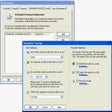
Broadband Speed Test
Trial version
Snort
Free
Microsoft Network Monitor (64-Bit)
Free
WinTraceRoute
Trial version
NetWitness Investigator
Free
Sniff-em
Trial version
Network Olympus Monitoring
Trial version
Network Ping
Trial version
Server Check
Free
Open Ports Scanner
Trial version