Used SafelyAway PE (Personal Edition) for Windows?


Editors’ Review

Download.com staff
SafelyAway PE offers secure cloud backup for personal files. Upload, organize, and access your data anywhere with efficient incremental backups.
  • Pros

    • Secure encrypted cloud storage
    • Efficient incremental file uploads
    • Organize files with folders and renaming
    • Sort files by type for easy retrieval
    • Multi-platform support for Windows, Mac, Linux
  • Cons

    • Requires internet connection for access
    • No mention of mobile app support

Used SafelyAway PE (Personal Edition) for Windows?


Explore More


Full Specifications

GENERAL
Release
Latest update
Version
1
OPERATING SYSTEMS
Platform
Windows
Operating System
  • Windows 2000
  • Windows 10
  • Windows ME
  • Windows NT
  • Windows 98
  • Windows XP
Additional Requirements
Windows 98/Me/NT/2000/XP/2003 Server
POPULARITY
Total Downloads
458
Downloads Last Week
0

Report Software

Program available in other languages


Last Updated


Developer’s Description

Back up and secure your files over the Internet.

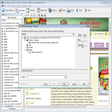
SafelyAway PE (Personal Edition) enables you to store/backup your photographs, personal documents securely over the Internet. You can simply upload all your data (encrypted) and then organize them afterwards by creating, moving and renaming folders/files. Only changes to a file are being uploaded after your first data storage, it hence saves you the time spent on storing your files. With features like sorting file by file-type (according to word document, audio), it makes data location and retrieval so easy.

As long as you have Internet connection, you can instantly access your data anytime, anywhere. SafelyAway PE is multi-platform operable and works on Windows, Mac and Linux.


Download.com
Your review for SafelyAway PE (Personal Edition)