Used LANView for Windows?


Editors’ Review

Download.com staff
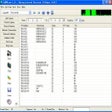
LANView is a powerful utility for LAN administration, offering extensive capabilities for network monitoring, information gathering, and remote management tasks.
  • Pros

    • Gathers IP, MAC, hostname, user, and group information.
    • Real-time network packet capture and analysis.
    • Supports port scanning and broadcast messaging.
    • Includes remote shutdown and wakeup features.
    • Provides network traffic charting and diagnostics.
  • Cons

    • No mention of scripting or automation capabilities.
    • Lacks detailed protocol analysis features.
    • No built-in firewall management functions.
    • Specifics on SNMP auditing are not detailed.
    • No cloud-based network management integration.

Used LANView for Windows?


Explore More


Full Specifications

GENERAL
Release
Latest update
Version
3.1-build-515
OPERATING SYSTEMS
Platform
Windows
Operating System
  • Windows XP
  • Windows 2003
  • Windows Vista
  • Windows 7
  • Windows 10
  • Windows Server
Additional Requirements
None
POPULARITY
Total Downloads
51,789
Downloads Last Week
0

Report Software

Program available in other languages


Last Updated


User Reviews

3/5

4 User Votes


Developer’s Description

Carry out your LAN administration and view information about it.

LANView is a powerful tool for LAN administration. It can quickly obtain information about all hosts on a network, including IP addresses, MAC addresses, hostnames, users and groups. With LANView, capturing and analyzing network packets real time would be convenient. Additionally, you can also use it to scan port, broadcast message, remote shutdown, remote wakeup, lookup host, trace route, monitor connections, audit SNMP, find computer, ping, display chart of network traffic, detects local host and get information about IP addresses, network adapter, Winsock.

Version 3.1 build 515 features traffic monitor improvements.


Download.com
Your review for LANView