Used Hard Disk No Stop for Windows?


Editors’ Review

Download.com staff
This utility prevents USB-connected hard drives from entering sleep mode. It periodically writes a log file to the disk, creating consistent activity that keeps the drive spinning and ready for immediate access.
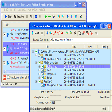
Enlarged image for Hard Disk No Stop
Hard Disk No Stop 0/1
  • Pros

    • Prevents firmware-initiated hard drive power-down cycles.
    • Maintains drive activity through periodic file writes.
    • Portable application runs directly from the external drive.
    • Minimizes to system tray for background operation.
    • Accessible controls via system tray icon.
  • Cons

    • Write interval is not user-configurable.
    • Lacks ability to manage multiple drives simultaneously.
    • No automatic management or rotation of log files.
    • User interface lacks advanced configuration options.
    • Application is designed for the Windows operating system.

Used Hard Disk No Stop for Windows?


Explore More


Full Specifications

GENERAL
Release
Latest update
Version
1.0.0.1
OPERATING SYSTEMS
Platform
Windows
Operating System
  • Windows 7
  • Windows Server
  • Windows 8
  • Windows Vista
  • Windows XP
  • Windows 10
  • Windows 2003
Additional Requirements
Microsoft .NET Framework
POPULARITY
Total Downloads
138
Downloads Last Week
15

Report Software

Program available in other languages


Last Updated


Developer’s Description

Prevent hard drives connected to USB docking stations from powering down due to inactivity.
This freeware utility prevents hard drives that are connected to USB docking stations from powering down (because of their firmware) due to inactivity of the read/writes heads. It simply writes to a log file at regular intervals thus preventing the frequent power up and down, consequently extending the lifespan of the hard drive.Instructions:Just extract the contents of the .zip file to a location of the external hard disk and then run "Hard Disk No Stop.exe". The hard drive will stay active as long as the program is running. Double clicking on the tray icon will restore the program's window. Also, by right clicking the tray icon you can exit and restore the program as well.

Download.com
Your review for Hard Disk No Stop