Used Free Speed Test for Windows 10 for Windows?


The Download Now link directs you to the Windows Store, where you can continue the download process. You must have an active Microsoft account to download the application. This download may not be available in some countries.

Free Speed Test for Windows 10 Analysis

AI Assisted Content ·

Not written by CNET Staff.

Free Speed Test for Windows 10 is a utility designed to measure internet connection speed and performance. This software provides users with real-time data on download and upload speeds, as well as ping latency. The straightforward interface allows users to initiate tests easily, ensuring that even those with minimal technical expertise can navigate the program effortlessly.

Top Recommended Alternative

In addition to basic speed metrics, the application offers detailed insights into connection stability and reliability. Users can track their speed over time, which is useful for identifying patterns in performance. Compatibility with Windows 10 ensures seamless integration into the operating system, making it a convenient tool for anyone looking to optimize their internet experience.

Enlarged image for Free Speed Test for Windo…
Free Speed Test for Windows 10 0/4

Used Free Speed Test for Windows 10 for Windows?


Explore More


Full Specifications

GENERAL
Release
Latest update
Version
0
OPERATING SYSTEMS
Platform
Windows
Operating System
Windows 10
Additional Requirements
Available for Windows 10 Mobile, Windows Phone 8.1, Windows Phone 8 (ARM)
POPULARITY
Total Downloads
885
Downloads Last Week
0

Report Software

Program available in other languages


Last Updated


Developer’s Description

Test the performance of the cellular and WIFI networks (ping times, download and upload speeds).

Test the performance of the cellular and WIFI networks (ping times, download and upload speeds).

In:Chinese,English,Finnish,German,Hungarian,Italian,Polish,Portuguese,Russian,Spanish,Thai

Version history:

v4.6 2013.10.03

Multiple GUI languages added

v4.4 2013.08.15

Skins

Total and cell data usage shown

Start directly to test page

v4.3 2013.07.30

New setting page

- Switch between Kbit and KByte

Filters in stats

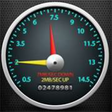
New retro style gauge

Custom start-up page

v4.2 2013.06.16

New (optional) features (see others on map and stats)

Restart test button

v4.0 2013.06.01

Lot of optimalizations, now ready for 100Mb+ networks

Down and upload speed graphs

Changed to Nokia map

You can email your results

In-app purchase to hide advertisement

v3.8 2013.05.10

WP8 support

Gauge now shows current and max speed as well.

You can take a screenshot of your test results (to share)

v3.4 2012.11.27

Application start-up time improvement

Gauge is more fluid now

v3.2 2012.10.30

Minor optimization

v3.0 2012.10.23

You can choose test location from a map.

v2.8 2012.10.09

Start-up time improvement (by locally caching locations)

v2.6 2012.08.08

Big optimization related to ping and location selection.

v2.2 2012.06.21

Response time test added

Test duration slider added

Test dates are displayed in local time now.

v2.0 2012.05.01

You can choose download test location

v1.10 2012.03.28

You can see your previous results (history)

v1.6 2011.09.28

New graphical interface

Some GUI simplification

v1.5 2011.07.13

Minor improvements

v1.3 - 2011.02.06

Minor improvements

v1.2 - 2011.02.01

Location information is not required anymore

Threading improvements

"Keep alive" under speed test

v1.0 - 2011.01.17

First release


Download.com
Your review for Free Speed Test for Windows 10
Download.com

AI Assisted Content Disclosure

Content created and reviewed by Softonic with information obtained from GB Solutions, using AI.

CNET's editorial team was not involved in the creation of this content. Opinions, analysis and reviews were not provided by CNET.