Used Aiseesoft DivX to DVD Converter for Windows?


Editors’ Review

Download.com staff
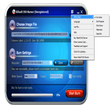
This software converts various video formats to DVD, offering extensive customization for menus, audio, and subtitles. It includes video editing tools for a polished output.
Enlarged image for Aiseesoft DivX to DVD Con…
Aiseesoft DivX to DVD Converter 0/1
  • Pros

    • Supports a wide range of video file formats for conversion.
    • Allows extensive DVD menu customization with templates and styles.
    • Enables adding custom audio tracks and background music.
    • Supports adding and editing subtitles for the DVD.
    • Includes video trimming and cropping features.
  • Cons

    • No mention of supported output disc types beyond standard DVD.
    • Watermarking feature might not be desired by all users.
    • Editing options for text and graphics are somewhat limited.
    • No advanced features like chapter creation mentioned.
    • No mention of batch processing capabilities.

Used Aiseesoft DivX to DVD Converter for Windows?


Explore More


Full Specifications

GENERAL
Release
Latest update
Version
5.1.58
OPERATING SYSTEMS
Platform
Windows
Operating System
  • Windows 10
  • Windows XP
  • Windows 2003
  • Windows Vista
  • Windows 8
  • Windows 7
  • Windows 2000
  • Windows NT
Additional Requirements
None
POPULARITY
Total Downloads
241
Downloads Last Week
0

Report Software

Program available in other languages


Last Updated


Developer’s Description

Burn DivX, MPG, MPEG, MPEG-2, MP4, MOV, M4V, MPV, MOD, MJPG, MJPEG, DAT files to DVD.

Aiseesoft DivX to DVD Converter is able to help you burn DivX, MPG, MPEG, MPEG-2, MJPG, MJPEG, MP4, MOV, M4V, MPV, MOD, and DAT video to DVD disc, DVD folder and DVD ISO files. Also it owns multiple editing functions to customize your DVD. It can also help you change the DVD menu, add the background film, music and picture, even edit the subtitle and audio track.

The best DivX to DVD Converter has the ability to trim video length, crop video frame and awatermark for the video. You can set the "Start Time" and "End Time" to define the segment. With the "Crop" button, you can adjust video playing area and select the aspect ratio to extrude your video slightly. It also enables you to add watermark to your video and adjust its position and transparent. And this converter offers much richer watermark color for you to choose.

With this perfect software, you can also define the DVD menu template and edit the menu frame, button and text. It offers six kinds of menu templates such as Scenery, City, Festival, Plants, Animals, and Others for you to choose. And it also allows you to select the menu frame and button style. Also you can edit the menu text content and define its font, size and color.

You can choose the audio track for the DVD. Besides the exciting audio track, you can also add your own audio track or background music to the DVD. To add your own subtitle to the DVD at will is also available for you.


Download.com
Your review for Aiseesoft DivX to DVD Converter