Used EASIS Drive Cloning Free for Windows?


Editors’ Review

Download.com staff
EASIS Drive Cloning offers straightforward bit-wise copying of hard drives and partitions. It reliably replicates all data, including hidden information, for upgrades or recovery.
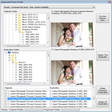
Enlarged image for EASIS Drive Cloning Free
EASIS Drive Cloning Free 0/1
  • Pros

    • Performs exact bit-wise cloning of drives and partitions.
    • Copies all original information, including hidden data.
    • Useful for system upgrades and data recovery.
    • Simple and direct functionality.
  • Cons

    • No advanced features like partition resizing.
    • Interface may be basic for some users.
    • Limited to cloning entire drives or partitions.
    • No mention of support for SSDs specifically.

Used EASIS Drive Cloning Free for Windows?


Explore More


Full Specifications

GENERAL
Release
Latest update
Version
1.1
OPERATING SYSTEMS
Platform
Windows
Operating System
  • Windows 7
  • Windows XP
  • Windows 10
  • Windows Vista
  • Windows 2003
  • Windows NT
  • Windows 2000
  • Windows Server
Additional Requirements
None
POPULARITY
Total Downloads
5,729
Downloads Last Week
0

Report Software

Program available in other languages


Last Updated


Developer’s Description

Clone or copy hard drives, partitions or others bit-wise.
Free EASIS Drive Cloning helps you cloning or copying hard drives, partitions or other storage devices bit-wise. Often you need to copy bytes from one hard drive to a second for upgrade your computer or laptop. Sometimes you need to copy the the bytes from the hard drive for data recovery reasons. Byte-wise copies have the advantage that all original information (hidden or not hidden) are copied to a second hard drive or drive image. Although hidden license information can be copied if you make byte-wise copy of you hard drive or partition.

Download.com
Your review for EASIS Drive Cloning Free