Used EASIS Drive Cloning Free for Windows?


Editors’ Review

Download.com staff
EASIS Drive Cloning offers straightforward bit-wise copying of hard drives and partitions. It reliably replicates all data, including hidden information, for upgrades or recovery.

Top Recommended Alternative

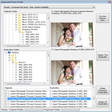
Enlarged image for EASIS Drive Cloning Free
EASIS Drive Cloning Free 0/1
  • Pros

    • Performs exact bit-wise cloning of drives and partitions.
    • Copies all original information, including hidden data.
    • Useful for system upgrades and data recovery.
    • Simple and direct functionality.
  • Cons

    • No advanced features like partition resizing.
    • Interface may be basic for some users.
    • Limited to cloning entire drives or partitions.
    • No mention of support for SSDs specifically.

Used EASIS Drive Cloning Free for Windows?


Explore More


Full Specifications

GENERAL
Release
Latest update
Version
1.1
OPERATING SYSTEMS
Platform
Windows
Operating System
  • Windows 7
  • Windows XP
  • Windows 10
  • Windows Vista
  • Windows 2003
  • Windows NT
  • Windows 2000
  • Windows Server
Additional Requirements
None
POPULARITY
Total Downloads
5,749
Downloads Last Week
4

Report Software

Program available in other languages


Last Updated


Developer’s Description

Clone or copy hard drives, partitions or others bit-wise.
Free EASIS Drive Cloning helps you cloning or copying hard drives, partitions or other storage devices bit-wise. Often you need to copy bytes from one hard drive to a second for upgrade your computer or laptop. Sometimes you need to copy the the bytes from the hard drive for data recovery reasons. Byte-wise copies have the advantage that all original information (hidden or not hidden) are copied to a second hard drive or drive image. Although hidden license information can be copied if you make byte-wise copy of you hard drive or partition.

Download.com
Your review for EASIS Drive Cloning Free