- Quick specs
- Price: Free
- Operating system: Windows 98/Me/2000/XP/Vista
- Date added: October 17, 2009
- Total Downloads: 81,623
- Downloads last week: 627
- See full specifications
- CNET editors' rating: stars
- Average user rating: stars out of 66 votes
See all user reviews
CNET editors' review
Reviewed by: CNET Staff
Stickies combines the best and most important features that you could want in a notes program with the added glory of being free. The program's main feature, the sticky note, can be customized on nearly every level, from font to color to behavior. Once loaded, the program installs a yellow sticky pad in your QuickLaunch bar. Double-click on it to load a new sticky, or right-click on it to access saved stickies and configuration options.
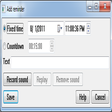
Fonts, hot keys, formatting, opacity, default window size, alarms, and more can all be tailored to your needs. There are multiple default settings for different users, alarm options can be sound-based or visually based, or both, the sticky can be attached to a program window, and the text can be locked so you don't accidentally delete important information. SSK files can be imported to skin your sticky experience, and you can use your network connection to send notes to co-workers. There's PocketPC and Palm support, and you can also easily export stickies to a removable drive and load them on a different computer.
Despite all these features, Stickies weighs in at less than 1MB and uses only about 20MB of RAM while in use. It's not quite as light as air, but it is far more environmentally and aesthetically friendly than covering the edge of your monitor with paper notes.
Publisher's description
From Zhorn Software :Stickies is a PC utility written to replace Post-It-style notes left stuck to your monitor. The design goal behind Stickies is that the program is small and simple. Stickies will not mess with your system files, or write to the Registry. Stickies stores all information in a single text-based INI file. Stickies will never support animated dancing figures, or play "Greensleeves". They are instead yellow rectangular windows onto which you can put some text notes. Once created, they will stay on screen until you take them away. Just like a real sticky piece of paper.
What's new in this version:
New features include image stickies, Unicode titles, "Show System windows" checkbox in Attach dialog.More popular Contact Management Software downloads
- 2,790 downloads 1. Sony Ericsson PC Suite
- 2,250 downloads 2. MOBILedit
- 1,554 downloads 3. Active Desktop Calendar
- 949 downloads 4. Cell Phone Manager
- 893 downloads 5. Easy Address Book
- See all Contact Management Software downloads
User reviews
- Average user rating: 4.4 stars out of 66 votes
- My rating: 0 stars Write review
-
Showing 5 of 9 user reviewsSee all 9 user reviews
This software version | All versions -
2 out of 2 people found this review helpful
Version: Stickies 7.0a
Pros: Lots of nice new features
Cons: No data was converted in the upgrade and all data was lost without warning. That sucks.
Summary: Be sure that you save a record of all of your sticky notes before you upgrade!!!
-
1 out of 1 people found this review helpful
Version: Stickies 7.0a
Pros: Many possiblities such as alarms and themes
Cons: nobe that I can think of.
Summary: I have tried many and like this one best
-
1 out of 1 people found this review helpful
Version: Stickies 7.0a
Pros: Works wonders, setup notes to repeatedly copy and paste to email and others
Cons: Needs to interact with open office more and ms office as well
Summary: Just love it
-
1 out of 1 people found this review helpful
Version: Stickies 7.0a
Pros: Sticky note. Rely. hat else is there to say.
Cons: No bugs so far
Summary: Get it; use it.
-
1 out of 1 people found this review helpful
Version: Stickies 7.0a
"very powerful save a note type program"
Pros: Tons of power for anything you could possibly want to do. All this and it's free.
Cons: Slightly primitive way of loading in......had trouble getting it to load into the tray like I wanted it to.....ended up putting a desktop shortcut on just to make sure.
Summary: Can't think of a better program. I tried some that were pay and were not as powerful. Just a hair tricky to get used to but not really bad.
- See all 9 user reviews Write review
Submit your review
Previous Versions: