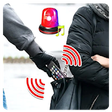
Used wrong password photo capture takes a picture for Android?


wrong password photo capture takes a picture Analysis

AI Assisted Content ·

Not written by CNET Staff.

This Android application offers a straightforward solution for enhancing device security by capturing unauthorized access attempts. Designed for users who prioritize privacy, it automatically takes a photo when an incorrect password is entered, storing the image in a dedicated gallery within the app. The interface is user-friendly, making it accessible for a wide range of users. With no complex settings or features, the app focuses solely on its primary function, ensuring that it performs reliably without unnecessary distractions.

Top Recommended Alternative

The application is particularly beneficial for individuals concerned about unauthorized access to their devices. By providing a photographic record of failed unlock attempts, it serves as a deterrent and a method for increasing personal security. The simplicity of the app allows users to set it up quickly, making it an efficient tool for those wanting to safeguard their privacy without the need for advanced technical knowledge.

Enlarged image for wrong password photo capt…
wrong password photo capture takes a picture 0/3

Used wrong password photo capture takes a picture for Android?


Explore More


Full Specifications

GENERAL
Release
Latest update
Version
3.6
OPERATING SYSTEMS
Platform
Android
Additional Requirements
Requires Android 2.3 and up
POPULARITY
Total Downloads
227
Downloads Last Week
0

Report Software

Program available in other languages


Last Updated


Developer’s Description

a camera for thief who tried to unlock the phone.

a camera for thief who tried to unlock the phone.

see who is trying to unlock my phone.

catch the thief who try open your phone lock.

Ever suspected someone of trying to unlock your phone while youre away, but havent been able to prove anything?

How to use:

1. Launch Hidden Secreteye

2. press to Enable the option

3. Close Hidden Secreteye

4. Press lock button ; phone will be locked

5. Press power button again and unlock phone with swipe or whatever you have

6. Photo will be taken

7. Now you can enter the app again to check for captured images

1/ install the app and hit enable button.

2/ get back later to the app to see who touched your phone.

One of these apps might come in handy. They take a picture with the front-facing camera when someone enters the wrong PIN.

How To Capture Someones Picture Who Tries To Unlock Your Phone

this app will capture a photo of the intruder each time he/she tries to unlock your device.

Use This app and catch all the mobile snoopers with ease.

Your friends or family member might have tried to unlock your phone. Hidden Eye is a simple app with no frills that will photograph the person when they try to unlock your phone.

Third Eye app will ease your task of catching your friends and family while they try to access your mobile.

Photos of Person Who is Entering Wrong Unlock Password or PIN on your Android

er tries to unlock your phone without your knowledge. lockwatch

take a picture of someone who tries to unlock your phone.

who touch my phone click photos

Third Eye

who tried to unlock my phone.

Who Touched My Phone

anti theft .Intruder Selfie

take photo when wrong password.

Dont touch my phone

take photo of people trying to unlock phone.

hidden eye front camera.

Features :

1. The app automatically takes a photo while someone enters the wrong PIN, Pattern or Password.

2. Last unlock time feature will show you the previous lock screen unlock time. With that, you can easily find if someone used your mobile without your knowledge.

3. A detailed photo logs of the mobile snoopers.

Key Feature :

The app automatically takes a photo while someone enters the wrong PIN, Pattern or Password. (take photo when wrong password.)

take photo of people trying to unlock phone.

Ability to who unlocked my phone.

who's on my phone

who's been on my phone

Takes a secret photo using the front camera when someone tries to unlock your phone with the wrong code.

intruder selfie app lock.

take photo of intruder.

smart app locker with camera capture.

hadden eye.

snoop proof.

Without the permission, the app may not work properly.

you have to read and accept all the permission

Note : who tried to unlock my phone iCatch the intruder uses the Device Administrator permission.

This app uses the Monitor screen-unlock attempts device admin permission to detect the wrong attempts in your mobile lock screen.

Note : To Uninstall the app, please turn off intruder detection feature in the app and uninstall the app. Else, you can directly use the Uninstall option available inside the app.


Download.com
Your review for wrong password photo capture takes a picture
Download.com

AI Assisted Content Disclosure

Content created and reviewed by Softonic with information obtained from Sergey Anisimov, using AI.

CNET's editorial team was not involved in the creation of this content. Opinions, analysis and reviews were not provided by CNET.