Used Swarachakra Tamil Keyboard for Android?


Swarachakra Tamil Keyboard Analysis

AI Assisted Content ·

Not written by CNET Staff.

Swarachakra Tamil Keyboard is a free communication tool designed for Tamil speakers, enabling them to type in their native script effortlessly. This custom keyboard is structured to reflect the traditional arrangement of Tamil consonants, offering a user-friendly experience through its intuitive layout and character grouping. With a small file size and ease of installation, it is compatible with most mobile devices, making it accessible for a wide range of users. Other versions of the Swarachakra keyboard are also available for different Indian languages, expanding its utility beyond Tamil.

Top Recommended Alternative

Built on the Swarachakra platform, this keyboard enhances text input for Indic scripts, allowing users to access a comprehensive set of 247 letters by holding down keys to select from a character wheel. This design maximizes the limited space on mobile keypads while also including numbers and special symbols relevant to Tamil writing. Although the app features a customizable interface, it is worth noting that its voice typing capabilities may not be as reliable, indicating room for improvement.

Enlarged image for Swarachakra Tamil Keyboar…
Swarachakra Tamil Keyboard 0/4

Used Swarachakra Tamil Keyboard for Android?


Explore More


Full Specifications

GENERAL
Release
Latest update
Version
2.01
OPERATING SYSTEMS
Platform
Android
Additional Requirements
Requires Android 4.0 and up
POPULARITY
Total Downloads
1,486
Downloads Last Week
3

Report Software

Program available in other languages


Last Updated


Developer’s Description

If your device can display this sentence in Tamil perfectly, then your device supports Tamil and Swarachakra should also work well.

If your device can display this sentence in Tamil perfectly, then your device supports Tamil and Swarachakra should also work well. If you do not see any text, or if some of the words are incorrect, Swarachakra may not work well.

Swarachakra Tamil ( ) is a touch-screen keyboard for inputting text in Tamil. (Swarachakra is also available in Telugu, Malayalam, Kannada, Hindi, Marathi, Gujarati, Odia, Punjabi, Bengali and Konkani.) Swarachakra uses a logically ordered design based on the structure of Tamil script. Swarachakra displays the consonants sequenced according to the logical structure of Tamil script, phonetically grouped and arranged in a grid similar to those found in most school textbooks.

Typing with Swarachakra

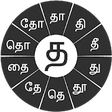
In Tamil, we frequently need to type a combination of a consonant () and a matra () like + = . When you touch a consonant, a chakra with combination of consonants and 10 frequent matras pops up (, , , , , , , ...). The chakra gives a preview of the possible character combinations. To select a combination, you slide the stylus or finger towards it.

Complete vowels (, , , , , , , , ...) appear in a separate chakra on the bottom right. The less used vowels and matras are next to it (, , ). Numerals, symbols and rarely used characters appear on a shift. You could also switch to the QWERTY keypad temporarily to input English characters.

Installing Swarachakra

First, install Swarachakra Tamil by clicking the Install button above.

Next, you need to enable the keyboard. To enable, open Settings, select Language and Input and check the box in front of (Swarachakra Tamil) in the Keyboard and input methods section.

Finally, click on the Default option in the Keyboard and input methods section, and select (Swarachakra Tamil) as the default keyboard. (Sorry, but thats how Android works)


Download.com
Your review for Swarachakra Tamil Keyboard
Download.com

AI Assisted Content Disclosure

Content created and reviewed by Softonic with information obtained from Swarachakra Team, IDC, IIT Bombay, using AI.

CNET's editorial team was not involved in the creation of this content. Opinions, analysis and reviews were not provided by CNET.