Used Squishy for Windows?


Squishy Analysis

AI Assisted Content ·

Not written by CNET Staff.

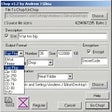
Squishy is a trial version application designed for Windows that specializes in file management. It provides users with tools to organize, categorize, and manage files efficiently. Key features include drag-and-drop functionality, customizable folders, and quick access to frequently used files. This program aims to streamline the file management process, making it easier for users to keep their data structured and accessible.

Top Recommended Alternative

In addition to basic file organization, Squishy offers advanced search capabilities that help users locate files quickly. The user interface is designed for ease of use, catering to both novice and experienced users. The application supports various file formats, ensuring compatibility across different types of data. Overall, Squishy serves as a practical tool for anyone looking to enhance their file management experience on Windows.


Used Squishy for Windows?


Explore More


Full Specifications

GENERAL
Release
Latest update
Version
1.0
OPERATING SYSTEMS
Platform
Windows
Operating System
  • Windows 7
  • Windows 8
  • Windows 10
  • Windows Vista
Additional Requirements
Microsoft .NET Framework 4.0
POPULARITY
Total Downloads
64
Downloads Last Week
1

Report Software

Program available in other languages


Last Updated


Developer’s Description

Manipulate dates, compare, verify, encode, and encrypt files.
What Squishy is, isn't really definable by common conventions. So, I'll give you a squishy definition, you can then decide for yourself. One might call it an all-purpose file manipulator; more than that, at its core, Squishy's aim is to provide convenience and trivialize actions that's usually a chore to accomplish. In that vein, Squishy has a large focus shifted towards metadata and file properties.Some of the things it trivializes is changing file dates, removing write restrictions, byte-for-byte file comparison, checksum comparison, DataURI encoding, and AES encryption. That's just to name a few.Yet another way Squishy provides convenience, is by removing the 'command-line' from often-used command-line applications. Squishy Execute gives you direct access to start-up arguments and with the plethora of macros provided, typing will surely be reduced. Match items to file extensions and you're done, you'll never see what you don't need.We believe that documentation is important; whether you're online or not, it should be available. Accompanied with Squishy is a full offline version of its documentation. When you're online, it will automatically direct you to the live version. Have it both ways, Squishy requires no installation, but you can have it integrate with your System.There's more to Squishy that what was covered here, get a trial and see for yourself. We've lovingly crafted and polished it for many months, so you can be sure that further tedium will be trivialized in the near future and that every file is a Squishy file.

Download.com
Your review for Squishy
Download.com

AI Assisted Content Disclosure

Content created and reviewed by Softonic with information obtained from Evrnet, using AI.

CNET's editorial team was not involved in the creation of this content. Opinions, analysis and reviews were not provided by CNET.