Used Sound Meter for Windows 10 for Windows?


The Download Now link directs you to the Windows Store, where you can continue the download process. You must have an active Microsoft account to download the application. This download may not be available in some countries.

Editors’ Review

Download.com staff
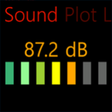
This application accurately measures decibel sound levels, records audio, and provides playback. It offers a live line chart and adjustable factors for microphone calibration.
Enlarged image for Sound Meter for Windows 1…
Sound Meter for Windows 10 0/4
  • Pros

    • Measures decibel sound levels
    • Records and plays back sound
    • Plots decibels on a graph
    • Provides live line chart updates
    • Includes microphone adjustment factor
  • Cons

    • Graphs and adjustments missing in trial version
    • Full version required for ad-free experience

Used Sound Meter for Windows 10 for Windows?


Explore More


Full Specifications

GENERAL
Release
Latest update
Version
1.4.7.0
OPERATING SYSTEMS
Platform
Windows
Operating System
Windows 10
Additional Requirements
Available for Windows 10 Mobile, Windows Phone 8.1, Windows Phone 8 (ARM)
POPULARITY
Total Downloads
353
Downloads Last Week
1

Report Software

Program available in other languages


Last Updated


Developer’s Description

By Abhinav S
This app can be used to measure the Decibel sound level at a particular location.
This app can be used to measure the Decibel sound level at a particular location. It can be used to record sound as well. Play back of recorded sound is possible. A graph plots decibels and is refreshed every few minutes. A live line chart also provides live updates. An adjustment factor is provided for correction in case of more / less powerful microphones. If a tile for this app is setup, it shows the maximum and average values for the duration the sound was measured. The color of the tile is based on the intensity of the sound. A working microphone is mandatory to use this app. Note that some features (graphs, adjustment etc) are not available in the trial version. Buying the full version will give you an add-free App (besides these additional features). The App can be bought by choosing "Buy Now" from within the App menu. The full version supports seven languages - English, Portuguese, Finnish, Spanish, German, French and Simplified Chinese.

Download.com
Your review for Sound Meter for Windows 10