Used Service Manager for Windows?


Editors’ Review

Download.com staff
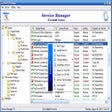
Service Manager provides robust control over Windows startup programs. Easily enable, disable, backup, restore, or delete startup items for optimized system performance.
Enlarged image for Service Manager
Service Manager 0/1
  • Pros

    • Complete control over Windows startup programs.
    • Disable unnecessary startups to save memory.
    • Manual startup option saves system resources.
    • Export startup list to text or CSV.
    • Suitable for both novices and technicians.
  • Cons

    No Cons available


Used Service Manager for Windows?


Explore More


Full Specifications

GENERAL
Release
Latest update
Version
1.1
OPERATING SYSTEMS
Platform
Windows
Operating System
  • Windows Vista
  • Windows XP
  • Windows 7
  • Windows 10
  • Windows 2000
Additional Requirements
None
POPULARITY
Total Downloads
216
Downloads Last Week
0

Report Software

Program available in other languages


Last Updated


User Reviews

1/5

1 User Votes


Developer’s Description

Control and manage the startups programs on Windows.
Service Manager is designed for the novice as well as the technician it allows complete control over which Startups run at Windows Logon. Disable, enable, backup, restore, delete or install new ones of your choice. A list of all Startups can be exported as text or .csv (Excel) file for review. There are many Startups that are always running but some are unnecessary and can be disabled depending on your needs to save memory and resources. After a Startup is disabled it can be started manually only when you need it saving valuable system resources. For instance, if you don't use your printer everyday there's no need to have the Print Spooler running all the time which could save about 5 Megabytes of memory for other use.

Download.com
Your review for Service Manager