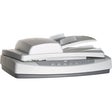
Used hp scanjet 5590 for Windows?
hp scanjet 5590 Analysis
AI Assisted Content ·
Not written by CNET Staff.
HP Scanjet 5590 is a versatile scanning utility designed for Windows users. This program enables efficient digitization of documents and images, offering high-quality outputs with resolutions up to 4800 dpi. The software supports various file formats, making it easy to save scans as PDFs, JPEGs, or TIFFs. Its intuitive interface allows users to quickly adjust settings such as brightness and contrast, ensuring optimal results for each scan.
Top Recommended Alternative

In addition to basic scanning capabilities, HP Scanjet 5590 includes features such as automatic document feeding and batch scanning, which enhance productivity for users with multiple documents. The program is compatible with a range of HP scanners, providing seamless integration with the hardware. Overall, HP Scanjet 5590 is a robust tool for individuals and businesses looking to streamline their document management processes.
The scanner features a duplex Automatic Document Feeder capable of scanning two-sided business documents up to legal size at an optical resolution of up to 2400 dpi. Its CCD sensor captures crisp text and accurate color reproduction, while front-panel physical buttons allow one-touch scanning to PDF, direct email attachments, or printer copies.
An integrated transparency materials adapter mounted within the scanner lid enables users to scan 35mm photographic slides and film negatives. This dual functionality made the 5590 a versatile bridge between office document archiving and photographic preservation during its production era.
However, the hardware's age is evident in modern office settings. The mechanical duplex ADF uses a single-side turnaround pull system that is noisy and slow compared to contemporary single-pass CIS scanners. Furthermore, official software and TWAIN driver development for 64-bit Windows and modern macOS versions has ceased, requiring third-party tools like VueScan for reliable modern operation.
What The Community Is Saying
- The Highs
People who get the driver working describe the scanner as reliable for years of everyday office use, and some find a Windows Store companion scanning app installs more smoothly than the traditional driver package.
- The Lows
The main complaint is that the standard driver frequently fails to install or detect the hardware on current Windows versions, sometimes requiring a manual workaround. Some also report the scanner freezing mid-scan on newer systems even after reinstalling.
- The Verdict
This driver can take real troubleshooting to get working on a modern PC, so try the Windows Store scanning app first if the standard installer fails.
Pros
- Hardware duplex automatic document feeder for two-sided scanning
- Integrated transparency adapter for scanning 35mm film slides and negatives
- Front-panel physical buttons for rapid one-touch document workflows
- Sturdy, durable commercial construction built for extended use
Cons
- Slow, noisy mechanical document feeder compared to modern scanners
- Lack of official, updated vendor drivers for modern 64-bit operating systems
- Bulky physical desktop footprint that occupies considerable workspace
- Bundled HP software suite feels archaic and lacks cloud integrations
Bottom Line
The HP Scanjet 5590 was a capable, durable workhorse that served small offices and photography enthusiasts well during its generation. Its combination of flatbed precision, automatic duplex feeding, and 35mm film scanning provided reliable versatility. However, outdated drivers and slow, noisy mechanical feeders make it obsolete for contemporary production office environments. It remains useful for legacy setups running third-party software, but newer sheet-fed scanners offer superior speed and convenience.
Explore More

Chicony USB 2.0 Camera
Free
Microsoft IntelliType Pro 7.0 (64-bit)
FreeAvermedia TV Tuner driver.zip
FreeATI HDMI Audio
Free
Pen Tablet
Free
Free Auto Clicker
FreeLogitech iTouch
FreeApple Pro Keyboard (UK) Layout (KBD)
Free
Wacom Tablet
Free
Microsoft IntelliType Pro 7.1 Keyboard Software for Windows (64-bit)
Free
Microsoft IntelliType Pro 7.1 Keyboard Software for Windows (32-bit)
Free
XuMouse
Free