Used Remote Desktop for Windows 10 for Windows?


The Download Now link directs you to the Windows Store, where you can continue the download process. You must have an active Microsoft account to download the application. This download may not be available in some countries.

Remote Desktop for Windows 10 Analysis

AI Assisted Content ·

Not written by CNET Staff.

Remote Desktop for Windows 10 is a full version utility designed to facilitate remote access to Windows-based systems. This software allows users to connect to their desktops from virtually anywhere, providing a seamless experience for managing files, applications, and settings remotely. With support for multiple connections and secure authentication methods, it ensures that users can work efficiently and safely from different locations.

Top Recommended Alternative

The program boasts an intuitive interface that simplifies the setup process, making it accessible for both novice and experienced users. Key features include customizable display settings, clipboard sharing, and the ability to transfer files between local and remote systems. Compatibility with various versions of Windows enhances its utility, catering to a wide range of users who require reliable remote desktop capabilities.

Enlarged image for Remote Desktop for Window…
Remote Desktop for Windows 10 0/3

Used Remote Desktop for Windows 10 for Windows?


Explore More

Full Specifications

GENERAL
Release
Latest update
Version
0
OPERATING SYSTEMS
Platform
Windows
Operating System
Windows 10
Additional Requirements
Available for Windows 10 Mobile, Windows Phone 8.1, Windows Phone 8 (ARM)
POPULARITY
Total Downloads
51
Downloads Last Week
0

Report Software

Program available in other languages


Last Updated


Developer’s Description

ON SALE. PRICE REDUCED. LIMITED TIME ONLY. Remote Desktop for Windows Phone lets you access, view and control your computers using your phone...

** ON SALE ** PRICE REDUCED ** LIMITED TIME ONLY **

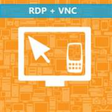
Remote Desktop for Windows Phone lets you access, view and control your computers using your phone from anywhere in the world.

You no longer need to have multiple apps to connect to different types of servers, use this app to connect to both RDP and VNC servers!

You have full control of your computer's mouse and keyboard.

Use your touch screen to move mouse, zoom in/out of remote screen, or use keyboard.

E-mail us at support@thefastmarket.com for any help, comments, suggestions or support questions.

Trial version lets you connect to remote PC for up to 3 minutes at a time.

New in version 2.0.1:

+ Bug fix for Windows Phone 8

+ Pin your favorite PCs to start screen

+ Ability to save/unsave password

+ Misc. bug fixes

New in version 2.0.0:

+ RDP support, connect to Windows machines without running VNC server

+ Server side installation no longer required

+ Capture remote computer's screen and save to phone

+ Extended keyboard featuring function keys, start key, shift, ctrl, alt, etc keys

+ NetBios support, connect using computer names on local network

+ Tap on screen to left click, long-tap (0.5 secs) to right click

New in version 1.3.0:

+ New touch pad style mouse move mode

+ Faster remote screen downloads

+ Options to scale down server resolution

New in version 1.2:

+ Locale fix for non-US languages

New in version 1.1:

+ Uses less bandwidth

+ Use custom ports to connect to multiple computers behind a router

+ Quick scroll buttons to scroll up/down in any window

+ Send ctrl+alt+del (requires compatible VNC server)

+ Multiple monitor support (requires compatible VNC server)

+ Bug fixes & small UI tweaks

We do not have the ability to contact reviewers posting problems, so please e-mail us so that we can help you.


Download.com
Your review for Remote Desktop for Windows 10
Download.com

AI Assisted Content Disclosure

Content created and reviewed by Softonic with information obtained from TheFastMarket, using AI.

CNET's editorial team was not involved in the creation of this content. Opinions, analysis and reviews were not provided by CNET.