Wipe useless files and private records and free up your disk space.
Download and try 30 day free fully functional solution to wipe useless files and maintain your computer privacy. R-Wipe & Clean irretrievably deletes private records of your online and off-line activities, such as temporary Internet files, history, cookies, autocomplete forms and passwords, swap files, recently opened documents lists, Explorer MRU (most recently used) lists, temporary files, and traces from applications, thus freeing up your disk space. The utility wipes files and unused disk space using either fast or secure-erase algorithms. All files and folders may be entered in wipe lists to erase them in a single procedure. Supports both the FAT and NTFS file systems. You can combine separate wiping and cleaning tasks and launch them to begin erasing immediately or set them to begin erasing procedures as a background task at predefined times or events. R-Wipe & Clean removes traces from more than 600 third-party applications, including Microsoft Office and Skype and supports all recent versions of Internet Explorer, Mozilla/Mozilla Firefox, Opera, Safari, Flock, Netscape, AOL, MSN, Google Chrome, SeaMonkey, and BT Yahoo, Konqueror, and K-Meleonas, as well as the Google, Windows Live, Yahoo, and MSN toolbars.
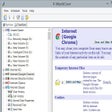
It has a nice interface and the ad-hoc wiping of a file (using the context menu) is fairly fast.
Quick replies from the R-TT Support team, even in weekends, which is exceptional.
Cons
In my opinion "Creating a task" is pretty confusing.
However, that aside, THE big issue is "Wiping Free Space": R-Wipe & Clean will create a temporary file, which will, in the course of the process use up -all- available free space on a givenn drive.
Meaning, for example, wiping free space of a 1TB drive, being filled with with 500GB of data, R-Wipe & Clean will create a temporary file of 500GB, resulting in a 'Full Disk"-error when trying to write anything to that drive.
It is not possible to assign a fixed space (e.g. a max of 100GB) for the temporary drive.
Also, the -Removing temporary files- takes ages! It is better to use Explorer to delete the temporary file.
Example: it took 1 hour for R-Wipe & Clean to remove abt 0,5GB(!) of the ... 550GB temporary file, i.e. if this would go on in the space pace, it would take 1100 hours (45 days).
Summary
ood interface, fine for the single ad-hoc wiping of file. Fast support-replies.
However, donot try wiping free space.
Currently I am using BCWipe v6 (sofar, regretfully, not reviewed by CNet) that I think has a number of advantages over R-Wipe & Clean, like a faster wipe free space operation (because of its NEW reserved space manager), avoiding low disk space, a faster MFT wiping, it can wipe directory slack space on ntfs drives and temporary data stored in ntfs log file andalso has a 'Transparent Wiping'-feature. When activated, this will intercept all 'delete' commands and securely wipes the data files. Running wipe free space and/or wipe temporary files are not necessary anymore.
Buyers beware. Software leaves back door for hackers.
sanderjds
Pros
No positive comments
Cons
After installation software leaves back door for hacker. Buyers beware.
Summary
Much Better than others
BsR126
Pros
I have been using it for quite sometimes now and I find it really good. The best part of it is the ability to erase software traces and also the "index.dat" files.
Cons
none so far
Summary
2 slow,2 use,
jroadrunner1
Pros
great 4 techs.
Cons
not free. trial,is complicated 4 novices.
Summary
prefer c-cleaner.
GREAT PRODUCT IF A LITTLE SLOW
shark1962
Pros
completley wipes all rubbish ,does exactly what it says on the tin
Cons
takes forever when you use a a high number of passes..
Summary
good product
Excellent Product
jamest1945
Pros
This was my first time using this type of software and a free one at that. It took it about 4 hours to complete it's job. No problems were encountered.
Cons
None were seen.
Summary
Very easy to use
dc1962
Pros
shred on the right click
Cons
3 clicks to shred
Summary
great over all
Easy to use and functional
Mike Cogswell
Pros
Simple to install and run and it works.
Cons
The user interface is a little poky / un-natural for my liking but I am a software developer in a different category of software so it may just be personal preference.
Summary
I reviewed the 9.0 release of this software and only gave it three stars since it took so long to scrub my machine (I think it was something like 11 hours), but since writing that review I found that I had problems with the RAID0 setup on my computer that was severely degrading disk performance. Now I can safely say the performance issue was hardware and not software. R-Wipe & Clean is a good solution for you if you need to clean a machine (for example to get rid of data before you return a loan laptop) of un-wanted bits. I've verfied that it works using other 3rd party file recovery software. I run R-Wipe and Clean on a Windows 7 x64 (64-bit) box, with RAID0. I recommend it as a capable application that does what it says it does and is well worth the money, especially since dot releases (e.g., 9.0, 9.1, 9.2 etc) are included in the original purchase price. I was lucky to buy at version 9.0.
Did something very strange to my computer
haltny
Pros
I cannot think of any
Cons
After deleting selected files it asked me to restart which I did, once I had I logged in as usual but the screen was black and I could do nothing at all. After several restarts I had to do a full system restore which worked, thank god.
Summary
After deleting selected files it asked me to restart which I did, once I had I logged in as usual but the screen was black and I could do nothing at all. After several restarts I had to do a full system restore which worked, thank god. I emailed the publisher who replied very promptly saying that the programme could not have caused the fault, however, my Dell has always worked perfectly up until this point and it seems too much of a coincidence that it should decide to do it once I restart. I wont be using the programme again just to be on the safe side..
Never Pay For Software!
Several9920
Pros
This program is great, But stick with freeware!
Cons
It shouldn't cost you any money to clean your computer, I hate trialware!
Summary
R-Wipe & Clean is an excellent software, But there are still freeware cleaners that do a pretty decent job as well so why pay? CCleaner, ATF Cleaner are both still free to use. Call me a tightwad or a cheapskate i don't care i just refuse to pay for software these days, In past times i would pay for software only to find out months later there was free programs that did the samething. After spending 40-60 bucks on firewalls, antivirus, registry cleaners etc. You learn after a while to save your money. I do understand though that software companies have to make their money, But not off of me won't.