Used Pretty Flow for Windows?


Editors’ Review

Download.com staff
PrettyFlow offers robust task scheduling with versatile triggers and cross-platform execution. Manage projects easily via client or browser interfaces for seamless automation.
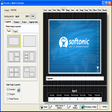
Enlarged image for Pretty Flow
Pretty Flow 0/1
  • Pros

    • Schedules tasks based on specific time periods.
    • Supports file change, drive insertion, and time-based triggers.
    • Connects via dedicated client or web browser.
    • Projects are runnable on any machine with the Executor.
    • Browser access via ASP.NET application.
  • Cons

    • Developer description lacks details on specific features.
    • No mention of advanced scripting or integration capabilities.
    • Information on user interface complexity is missing.
    • Pricing model and support options are not detailed.
    • Limited information on enterprise-level features.

Used Pretty Flow for Windows?


Explore More


Full Specifications

GENERAL
Release
Latest update
Version
2.4.0.128
OPERATING SYSTEMS
Platform
Windows
Operating System
  • Windows 2000
  • Windows 7
  • Windows XP
  • Windows ME
  • Windows 10
  • Windows NT
  • Windows 98
  • Windows 2003
  • Windows Vista
Additional Requirements
None
POPULARITY
Total Downloads
420
Downloads Last Week
0

Report Software

Program available in other languages


Last Updated


Developer’s Description

Schedule your different tasks on certain periods.
With PrettyFlow server your projects can be triggered by different triggers like when file is changed, when drive is inserted, after some time. You can also connect to PrettyFlow server with PrettyFlow client or through browser and ASP.NET application. You can take PrettyFlow projects with you and run them on any machine using PrettyFlow Executor.

Download.com
Your review for Pretty Flow