Used EZ Photo Calendar Creator 2 for Windows?


Editors’ Review

Download.com staff
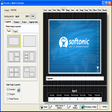
This software empowers users to create custom photo calendars. Choose from various formats, layouts, and extensive customization options for personalized designs.
  • Pros

    • Supports Wall, Annual, and CD Case Calendar formats
    • Allows up to nine photos per month
    • Offers over 300 pre-made border themes
    • Includes recurring event support
    • Enables customization of fonts, colors, and graphics
  • Cons

    • Optional imprint text and logo placement
    • Professional printing service is an add-on

Used EZ Photo Calendar Creator 2 for Windows?


Explore More


Full Specifications

GENERAL
Release
Latest update
Version
1.29
OPERATING SYSTEMS
Platform
Windows
Operating System
  • Windows 10
  • Windows XP
  • Windows Vista
  • Windows 98
  • Windows 2000
  • Windows ME
  • Windows NT
Additional Requirements
Adobe Air Flash Version 10.0
POPULARITY
Total Downloads
129,436
Downloads Last Week
0

Report Software

Program available in other languages


Last Updated


User Reviews

3.1/5

9 User Votes


Developer’s Description

Create stunning photo calendars using your photos and events.

Create Wall, Annual, and CD Case Calendars. Choose from many different page layouts - include up to 9 photos on each month! Includes over 300 professionally pre-made fun border themes. Easily add your personal events, birthdays, anniversaries, and dates to the calendar. Supports reoccurring dates so you will not have to retype birthdays, anniversaries for following years. Customize all elements of your calendars including fonts, grid line colors, border themes, and more. Add thumbnail graphics to the date boxes like a picture of a pumpkin on Halloween and a picture of uncle Mark on his Birthday. Easily add subscription based holidays to your calendars U.S. Holidays, Moon Calendar. Change the text for the days of the week and months of the year (great for other languages) Create Calendars for any year or month, software lasts a lifetime. Optional - Add 4 lines of imprinted text or a logo on the bottom of each calendar page. Print at home or use our professional printing service.


Download.com
Your review for EZ Photo Calendar Creator 2