Used Plastic Surgery Simulator for Windows 10 for Windows?


The Download Now link directs you to the Windows Store, where you can continue the download process. You must have an active Microsoft account to download the application. This download may not be available in some countries.

Editors’ Review

Download.com staff
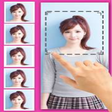
Plastic Surgery Simulator provides powerful distortion tools to visualize cosmetic transformations. Users can realistically reshape, grow, or shrink body parts using intuitive touch controls to preview potential surgical outcomes, weight loss, or muscle gain.
Enlarged image for Plastic Surgery Simulator…
Plastic Surgery Simulator for Windows 10 0/4
  • Pros

    • Intuitive tools for dragging growing and shrinking body parts
    • Simulates wide range of procedures from rhinoplasty to muscle augmentation
    • User interface is optimized for computers tablets and small screens
    • Includes a fully functional 24 hour trial of all features
    • Simple import process from the device photo library
  • Cons

    • Trial period is limited to 24 hours of use
    • Quality depends on specific lighting and unified background colors
    • No automated body part detection or enhancement features
    • Continued access requires payment after the trial expires

Used Plastic Surgery Simulator for Windows 10 for Windows?


Explore More


Full Specifications

GENERAL
Release
Latest update
Version
1.1.7.0
OPERATING SYSTEMS
Platform
Windows
Operating System
Windows 10
Additional Requirements
Available for Windows 10 (x86, x64)
POPULARITY
Total Downloads
527
Downloads Last Week
0

Report Software

Program available in other languages


Last Updated


Developer’s Description

How would you look with a differently shaped nose or chin, bigger breasts, less weight or more muscle? Find out with this simple but powerful photo distortion app to simulate.
How would you look with a differently shaped nose or chin, bigger breasts, less weight or more muscle? Find out with this simple but powerful photo distortion app to simulate. All you need to do to simulate realistic plastic surgeries is drag, grow or shrink the body parts you want distorted. WHAT CAN THE APP DO? Used by nearly 10 million users worldwide and by real plastic surgeons, this photo distortion app can transform any body part to simulate various plastic surgeries: Nose Job (rhinoplasty). Breast, buttock augmentation / reduction. Lips augmentation. Chin and face contouring. Weight loss, liposuction. Muscle augmentation. anything you can reshape, grow or shrink. For fun, to improve someone's appearance or for serious plastic surgery decision process, this app will help you. It's like having Photoshop's liquify filter on your computer and tablet. HOW TO GET STARTED? You can download a 100% functional 24 hours free trial version of this app, so you can test ALL its features. Using the app is very easy, even on small screens: Import a head-shot or full body picture from your device image library. Preferably the subject should be photographed on a unified color background and well lit, so the contours are clearly visible. Use your finger to drag, grow or shrink the body parts that you want distorted. For example, you can crush this bump on your nose, grow your breasts, or even make you slimmer. Download the free trial of the Plastic Surgery Simulator now. Then see how those changes you've been wanting to make might really look. Beauty is a right.

Download.com
Your review for Plastic Surgery Simulator for Windows 10