Used Picture Puzzle for Windows?


Editors’ Review

Download.com staff
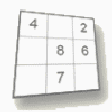
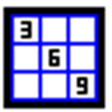
This app creates a classic sliding tile puzzle using your own images. It's a simple, portable way to enjoy custom photo puzzles.
Enlarged image for Picture Puzzle
Picture Puzzle 0/1
  • Pros

    • Uses your own JPG, PNG, or BMP images
    • No installation required, portable application
    • Easy drag-and-drop functionality
    • 16-piece puzzle format
    • Ctrl-P for hint preview
  • Cons

    • Only one puzzle size available
    • Limited file format support

Used Picture Puzzle for Windows?


Explore More


Full Specifications

GENERAL
Release
Latest update
Version
1.3
OPERATING SYSTEMS
Platform
Windows
Operating System
  • Windows 2000
  • Windows Vista
  • Windows XP
  • Windows 10
  • Windows 7
Additional Requirements
None
POPULARITY
Total Downloads
237
Downloads Last Week
0

Report Software

Program available in other languages


Last Updated


User Reviews

4/5

1 User Votes


Developer’s Description

Create slide puzzle where you use your own pictures.
Picture Puzzle is a traditional slide puzzle where you use your own pictures.There is no installation required, just drag the program from the zip download and the program is ready to run.On opening the program, you are asked to select a picture (in jpg, png or bmp format), the picture is resized and scrambled into 16 different pieces.Click the pieces adjacent to the empty square to move them and the puzzle is solved when you have all the pieces in their correct position.Press Ctrl-P to get a hint by previewing your picture or press Esc to quit the program.

Download.com
Your review for Picture Puzzle