Used OnlineVNC Server (64-Bit) for Windows?


Editors’ Review

Download.com staff
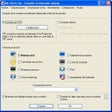
OnlineVNC Server provides straightforward, real-time remote desktop management through a web interface. Access your Windows, Linux, or Mac desktop from any browser, anywhere.
Enlarged image for OnlineVNC Server (64-Bit)
OnlineVNC Server (64-Bit) 0/2
  • Pros

    • Easy-to-use remote desktop control
    • Web-based viewer requires no installation
    • Cross-platform compatibility (Windows, Linux, Mac)
    • Real-time desktop management
    • Accessible from any internet-connected location
  • Cons

    No Cons available


Used OnlineVNC Server (64-Bit) for Windows?


Explore More


Full Specifications

GENERAL
Release
Latest update
Version
3.0
OPERATING SYSTEMS
Platform
Windows
Operating System
  • Windows 10
  • Windows XP
  • Windows Vista
  • Windows 8
  • Windows 2003
  • Windows 7
  • Windows Server
Additional Requirements
None
POPULARITY
Total Downloads
141
Downloads Last Week
0

Report Software

Program available in other languages


Last Updated


Developer’s Description

Manage and control desktop remotely via Web-interface in realtime.
OnlineVNC Server (64-Bit) is a quality and easy-to-use program that allows you to control your desktop from the web-browser from Windows, Linux or Mac OS X. Viewer for the server works in web-browser and requires no installation at all. With this solution you can use your desktop from anywhere - from home, from work, from Internet cafes, hotels, everywhere where there is Internet and a Web Browser.

Download.com
Your review for OnlineVNC Server (64-Bit)