Used Multiplayer Go for Windows?


Editors’ Review

Download.com staff
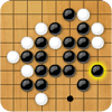
This app offers a classic Go board game experience. Players place black or white stones on a 19x19 grid, aiming to surround territory and capture opponent pieces.
Enlarged image for Multiplayer Go
Multiplayer Go 0/1
  • Pros

    • Intuitive piece placement with a simple click.
    • Clear scoring based on territory and captures.
    • Rules for preventing infinite repetitions are enforced.
    • Pass mechanism for ending the game gracefully.
    • Automatic score calculation with handicap adjustment.
  • Cons

    • No mention of AI difficulty levels.
    • No online multiplayer functionality described.
    • No tutorial or explanation of advanced rules.
    • No visual customization options for the board or pieces.

Used Multiplayer Go for Windows?


Explore More


Full Specifications

GENERAL
Release
Latest update
Version
1.4.0
OPERATING SYSTEMS
Platform
Windows
Operating System
  • Windows 8
  • Windows XP
  • Windows 2000
  • Windows NT
  • Windows 7
  • Windows 98
  • Windows Vista
  • Windows ME
  • Windows 10
Additional Requirements
Adobe AIR runtime 2.5
POPULARITY
Total Downloads
210
Downloads Last Week
0

Report Software

Program available in other languages


Last Updated


Developer’s Description

Enjoy the sophisticated board game classic!
Come and challenge one of the most complicated board games in history! In the game of Go a board which consists of 19x19 intersections will be used, while you and your opponent will be assigned a set of black or white pieces. Your score will be calculated by the total area surrounded by your pieces, as well as the number of opponent pieces captured. Black will move first in the game, and the players will take turns to place pieces onto the empty intersections on the board. During your turn, simply click an empty spot on the board to place your piece. Note that you must finish your turn within the given time limit, as indicated by the timer on the screen, or you will lose. The 4 empty intersections which are immediately adjacent to a piece on the board are called "qi". If opponent pieces have started to enclose a group of pieces, the "qi" becomes an "eye", and the group needs to have at least 2 eyes to stay alive and avoid being captured. If the number of eyes falls below 2, the group of pieces will be considered "dead" and will be captured at the end of the game. To prevent an unending repetition, you will not be allowed to make a move that returns the game to the position before your opponent's previous move. If you believe that no more meaningful moves can be made, you can click the Pass button on the screen to skip your turn. If your opponent also chooses to pass, the game ends. Both players can then click to remove the remaining dead pieces on the board. When you are done, click the Finish button on the screen, and the scores will be calculated. Since the player who took the first move has an advantage, 6.5 points will be given to the other player when determining the final score. Can you make use of clever strategies to surround and capture the most opponent pieces?

Download.com
Your review for Multiplayer Go