Used MOBZync (32-bit) for Windows?


Editors’ Review

Download.com staff
MOBZync offers a clear side-by-side comparison of two folders, highlighting file differences and providing simple synchronization options.
Enlarged image for MOBZync (32-bit)
MOBZync (32-bit) 0/2
  • Pros

    • Visual side-by-side folder comparison
    • Clearly marked file status indicators
    • Easy file copying options
    • Full folder synchronization capabilities
    • Filter options for file status
  • Cons

    • No mention of advanced filtering
    • No explicit mention of large file support
    • No details on network synchronization

Used MOBZync (32-bit) for Windows?


Explore More


Full Specifications

GENERAL
Release
Latest update
Version
0.9.2
OPERATING SYSTEMS
Platform
Windows
Operating System
  • Windows 10
  • Windows Vista
  • Windows 7
  • Windows XP
Additional Requirements
Microsoft .NET Framework 2.0
POPULARITY
Total Downloads
195
Downloads Last Week
0

Report Software

Program available in other languages


Last Updated


Developer’s Description

Check the difference between two folders and sync the folders.
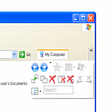
MOBZync displays two folders and their contents side-by-side and shows you the differences between them at a glance. Files that exist in one folder, but not in the other, are marked Added (purple). Files that exist in both folders are Unchanged (black) or else either Newer (green) or Older (red). The buttons at the top can be used to show or hide files with a certain status. The buttons on the right allow you to start copying files from 'left to right', 'right to left' or to Synchronize the two folders by copying the necessary files in both directions.

Download.com
Your review for MOBZync (32-bit)