Used MidiMeow for Windows?


Editors’ Review

Download.com staff
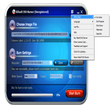
Midimeow expertly converts MIDI files to MP3, WAV, and OGG formats. It offers extensive bitrate options, adjustable output rates, and channel selection for flexible audio production.
  • Pros

    • Converts MIDI to MP3, WAV, OGG
    • Supports 15 MP3 bitrates
    • Supports over 10 OGG bitrates
    • Adjustable output rate and channels
    • Mini-mixer with saveable settings
  • Cons

    • Requires sound card with MIDI output
    • No mention of batch conversion
    • No advanced editing features
    • Limited output sample rates
    • Relies on winmm.dll

Used MidiMeow for Windows?


Explore More


Full Specifications

GENERAL
Release
Latest update
Version
1.04v1
OPERATING SYSTEMS
Platform
Windows
Operating System
  • Windows 10
  • Windows XP
  • Windows 98
  • Windows ME
  • Windows 2000
Additional Requirements
None
POPULARITY
Total Downloads
17,378
Downloads Last Week
0

Report Software

Program available in other languages


Last Updated


User Reviews

3.8/5

4 User Votes


Developer’s Description

Convert MIDI files into MP3, WAV, or OGG Vorbis format.

Midimeow is an easy-to-use tool to convert: Midi to Mp3 at 15 differents bitrates, Midi to Wav and Midi to Ogg vorbis at more than 10 differents bitrates. It allows to change the rate of the output (3 rates available) and the number of channels (mono or stereo). A mini-mixer is implemented to change the mixer settings from the program, or display the volume control of the sound card from the program. You have the ability to save mixer's settings and there is presets for midi conversion.If you want, you can restore your current sound settings when the program exits after a serie of conversion. You can convert midi files in 3 clicks. A sound card with midi output and winmm.dll are needed. English and french software. Probably the best at this price.

Version 1.04v1 adds Russian, Dutch, and Polish translations.


Download.com
Your review for MidiMeow