Used Map Merge for OziExplorer for Windows?


Map Merge for OziExplorer Analysis

AI Assisted Content ·

Not written by CNET Staff.

Map Merge for OziExplorer is a specialized educational software designed for users who require advanced mapping capabilities. This trial version application provides tools for merging multiple map files into a single, cohesive image, enhancing usability and accessibility for navigational purposes. It supports various file formats, allowing for seamless integration of different mapping data, which is essential for users involved in outdoor activities or geographical studies.

Top Recommended Alternative

The software features an intuitive interface that simplifies the merging process, making it accessible even for those with limited technical expertise. Users can adjust map alignment and scale, ensuring that the final output meets specific project requirements. Additionally, Map Merge for OziExplorer is compatible with various Windows operating systems, ensuring broad accessibility. Overall, this program serves as a valuable tool for educators, researchers, and outdoor enthusiasts seeking to create custom maps.

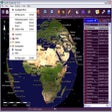
Enlarged image for Map Merge for OziExplorer
Map Merge for OziExplorer 0/1

Used Map Merge for OziExplorer for Windows?


Explore More


Full Specifications

GENERAL
Release
Latest update
Version
1.21
OPERATING SYSTEMS
Platform
Windows
Operating System
  • Windows Vista
  • Windows NT
  • Windows 7
  • Windows 98
  • Windows XP
  • Windows 2000
  • Windows 10
  • Windows ME
Additional Requirements
None
POPULARITY
Total Downloads
800
Downloads Last Week
3

Report Software

Program available in other languages


Last Updated


Developer’s Description

Merge maps that you select and create a new map in the projection and scale of your choice.
Map Merge for OziExplorer is a simple application to merge maps and create a new map. The created map is a mosaic of the maps selected. Features include cut or trim maps to a region by selecting a section of a map or maps and create a new map in the projection and scale of your choice and datums, projections, and image formats supported by OziExplorer are also supported. By purchasing a license, maps can be saved in formats TIF, JP2, PNG, JPG, and ECW (limited size) suitable for use in other software.

Download.com
Your review for Map Merge for OziExplorer
Download.com

AI Assisted Content Disclosure

Content created and reviewed by Softonic with information obtained from OziExplorer, using AI.

CNET's editorial team was not involved in the creation of this content. Opinions, analysis and reviews were not provided by CNET.