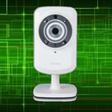
Used IP Camera Dlink for Windows 10 for Windows?
IP Camera Dlink for Windows 10 Analysis
AI Assisted Content ·
Not written by CNET Staff.
IP Camera Dlink for Windows 10 is a utility designed to facilitate the management and monitoring of D-Link IP cameras on Windows operating systems. This full version program allows users to view live feeds, record video footage, and configure various camera settings directly from their Windows 10 devices. It supports multiple camera models, ensuring compatibility with a range of D-Link products, which enhances its utility for users with diverse hardware setups.
Top Recommended Alternative
The application features an intuitive interface that simplifies navigation and makes it easy to access all functionalities. Users can set up motion detection alerts, manage recording schedules, and adjust camera parameters such as resolution and frame rate. Additionally, the software offers options for remote access, allowing users to monitor their cameras from different locations. Overall, IP Camera Dlink for Windows 10 serves as a robust solution for managing D-Link IP cameras efficiently.
Used IP Camera Dlink for Windows 10 for Windows?
Explore More

Speccy Portable
Free
PassFab for RAR
Trial version
Logitech G Hub
Free
D-Link DGE-530T Gigabit Ethernet Adapter
Free
Hard Drive Inspector for Notebooks
Trial versionSmartLink 56K Modem
Free
AirPods Pro Connect
Paid
Free Desktop Clock
Free
USB Low-Level Format
Free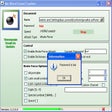
Ms Word Excel Cracker
FreeHP PhotoSmart C5101A - S20
FreeMOBZHunt
Free











