Used Hype Terminal for Windows?


Editors’ Review

Download.com staff
Hype Terminal is a straightforward replacement for Windows HyperTerminal, offering essential connectivity through TCP/IP, dial-up modems, and COM ports for debugging and basic communication.
Enlarged image for Hype Terminal
Hype Terminal 0/5
  • Pros

    • Simple and intuitive user interface
    • Replaces classic HyperTerminal functionality
    • Useful for GSM/GPS and AT command debugging
    • Supports TCP/IP, dial-up modems, and COM ports
    • Customizable window appearance
  • Cons

    • Not intended for complex communication needs
    • Limited feature set compared to advanced tools
    • Only runs on Windows 7 and 8

Used Hype Terminal for Windows?


Explore More


Full Specifications

GENERAL
Release
Latest update
Version
1.0
OPERATING SYSTEMS
Platform
Windows
Operating System
  • Windows Vista
  • Windows 7
  • Windows 8
  • Windows XP
  • Windows 10
  • Windows Server
  • Windows 2003
Additional Requirements
Microsoft .NET Framework 4
POPULARITY
Total Downloads
17,383
Downloads Last Week
0

Report Software

Program available in other languages


Last Updated


Developer’s Description

Connect to systems through TCP/IP networks, dial-up modems, and COM ports.
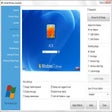
The Hype Terminal software was created to replace the old HyperTerminal service that was included with previous versions of Windows. This software runs on Windows 7 and 8 platforms. It is very simple and intuitive to use. It has two windows: the first one, the Command History, showing all the sent commands, either using the Send button or pressing Enter while the desired command is written. The other window, Text Received shows the text that has been received through the serial port while the session remains opened. The File menu lets you clear these two windows and close the application. The Set Up menu lets you configure the comm port connection, and customize the appearance of the windows. Hype Terminal is fully functional replacement of Hyperterminal, perfect for GSM and GPS debugging, works with AT Commands. You can use Hype Terminal to help debug source code from a remote terminal. You can also use Hype! Terminal to communicate with older character-based computers. Hype Terminal is designed to be an easy-to-use tool and is not meant to replace other full-feature tools available on the market. You can use Hype Terminal to perform the specific tasks described above, but do not attempt to use Hype Terminal for more complex communication needs.

Download.com
Your review for Hype Terminal