Used Huge Clock for Windows?


Editors’ Review

Download.com staff
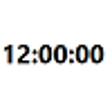
Huge Clock is a screensaver that displays a very large digital clock showing the time, date, and day. It offers simple, full-screen visibility for time-checking.
  • Pros

    • Displays time, date, and day of the week.
    • Customizable time formats (AM/PM, 24-hour).
    • Easy exit options (any key, mouse click/move).
    • Installs as a program and screensaver.
    • Password protection available for screensaver.
  • Cons

    • No other features beyond time display.
    • Full-screen black background covers taskbar.

Used Huge Clock for Windows?


Explore More


Full Specifications

GENERAL
Release
Latest update
Version
2.3
OPERATING SYSTEMS
Platform
Windows
Operating System
  • Windows 98
  • Windows ME
  • Windows XP
  • Windows 10
  • Windows Vista
  • Windows NT
  • Windows 2000
  • Windows 95
Additional Requirements
Windows 95/98/Me/NT/2000/XP/2003 Server/Vista
POPULARITY
Total Downloads
3,357
Downloads Last Week
0

Report Software

Program available in other languages


Last Updated


User Reviews

3.5/5

2 User Votes


Developer’s Description

View a digital clock on your desktop screensaver.

This is a very large digital clock screensaver. The black background covers everything including the task bar on the bottom. Huge Clock has no frame so there are no borders. Huge Clock shows the time, date, and day of the week. That is all it does. Just a clock. But it is a huge clock man. To exit the program just press any key, click the mouse, or move the mouse. Huge Clock installs both as a normal program and a real screensaver with password ability and preview in the small Windows screensaver setup screen. The display can be customized to show the time only, AM/PM, or 24-hour time. This version is the first release on CNET Download.com.


Download.com
Your review for Huge Clock