Used Big Text Clock for Windows 8 for Windows?


Clicking on the Download Now (Visit Site) button above will open a connection to a third-party site. Download.com cannot completely ensure the security of the software hosted on third-party sites.

Editors’ Review

Download.com staff
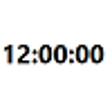
This Windows 8 app provides a high-visibility clock using large text. It's free, ad-free, and designed for clear time viewing across all device sizes and orientations.
Enlarged image for Big Text Clock for Window…
Big Text Clock for Windows 8 0/1
  • Pros

    • Displays time in large, easy-to-read text
    • Free and ad-free application
    • Scales to all Windows 8 device sizes
    • Supports various view states including snapped and filled
    • Ideal for users needing a simple, visible clock
  • Cons

    • Lacks fancy features or customization options
    • Primarily focused on time display only

Used Big Text Clock for Windows 8 for Windows?


Explore More


Full Specifications

GENERAL
Release
Latest update
Version
0
OPERATING SYSTEMS
Platform
Windows
Operating System
  • Windows 8
  • Windows 10
Additional Requirements
None
POPULARITY
Total Downloads
157
Downloads Last Week
0

Report Software

Program available in other languages


Last Updated


Developer’s Description

Display time in large numbers from your Windows 8 device.
Big Text Clock for Windows 8 is high visibility clock displays the time in big text so you can see the big numbers. This is a simple free and ad free clock that displays the time really big, it is not a fancy clock with lots of features. Scales to all Windows 8 Device Sizes and shows really big time on all variations of Landscape, Portrait, Snapped and Filled View States. If you need a big clock this is your app, if you are looking for something else, look for something else.

Download.com
Your review for Big Text Clock for Windows 8