Used GPS Satellite for Windows 10 for Windows?


The Download Now link directs you to the Windows Store, where you can continue the download process. You must have an active Microsoft account to download the application. This download may not be available in some countries.

GPS Satellite for Windows 10 Analysis

AI Assisted Content ·

Not written by CNET Staff.

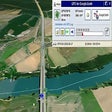
GPS Satellite for Windows 10 is a free application designed to provide users with comprehensive GPS data from their mobile devices. This software offers a range of features, including real-time location tracking, speed monitoring, and an intuitive mapping tool, making it a valuable resource for travelers and outdoor enthusiasts. The application is compatible with 64-bit Windows operating systems, ensuring a broad user base can access its functionalities. Additionally, users can easily share their location data via SMS, email, or social media platforms, enhancing connectivity and information sharing during travels.

Top Recommended Alternative

Alongside its core features, GPS Satellite includes useful utilities such as displaying the current date and time, which can be beneficial for users on the go. However, some users have reported instances of third-party advertisements that may lead to unwanted software, raising concerns about security. Additionally, the user interface may not be completely intuitive for all users, which could impact the overall experience. Despite these drawbacks, GPS Satellite remains a practical tool for those needing GPS information on their Windows devices.

Enlarged image for GPS Satellite for Windows…
GPS Satellite for Windows 10 0/4

Used GPS Satellite for Windows 10 for Windows?


Explore More


Full Specifications

GENERAL
Release
Latest update
Version
varies-with-device
OPERATING SYSTEMS
Platform
Windows
Operating System
Windows 10
POPULARITY
Total Downloads
1,240
Downloads Last Week
2

Report Software

Program available in other languages


Last Updated


Developer’s Description

GPS Satellite provides the location and course data calculated from your phone's global positioning satellite (GPS) receive in conjunction with received orbiting global position satellite signals.
GPS Satellite provides the location and course data calculated from your phone's global positioning satellite (GPS) receive in conjunction with received orbiting global position satellite signals. Data includes: latitude. longitude. altitude. speed. course. horizontal accuracy. vertical accuracy. date and time. 3 geocache sites. multi-satellite dilution values and ratings, plus point source GPS Satellite allows you to send the location (map link, latitude, longitude, and image) and tracking information to the following: SMS. email. post to your favorite social network like Twitter. clipboard to pasted into other applications For Windows 10 desktop, you can now save and load position data points. This will come to Windows 10 mobile after some testing by customers. View the nice guide page explaining all features. Coordinates can be displayed with: decimal degrees.decimal degrees with direction.degrees and minutes.degrees, minutes, and seconds Mapping allows you the following view: road. aerial. hybrid. terrain. pitch control. pedestrian and landmark features Speeds can be displayed wit the following formats: miles per second. miles per hour. kilometers per hour. knots. feet per second Latitude and longitude can be displayed in a LARGE nicely formatted screen. Tasks can be performed on the tasks page. NASA photo of the day provided. Holding your finger on the map page for a second, you will get the latitude and longitude of that position in addition to the other data. Privacy policy: Upon your actions, this application accesses your location to display and can, of your choice, save the location to a file. You may also load the file or share the location.

Download.com
Your review for GPS Satellite for Windows 10
Download.com

AI Assisted Content Disclosure

Content created and reviewed by Softonic with information obtained from KarhuKoti, using AI.

CNET's editorial team was not involved in the creation of this content. Opinions, analysis and reviews were not provided by CNET.