Used Google Takeout Converter Extractor Tool for Windows?


Google Takeout Converter Extractor Tool Analysis

AI Assisted Content ·

Not written by CNET Staff.

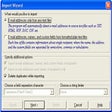
Google Takeout Converter Extractor Tool is a trial version application designed for Windows users who need to manage and convert their Google Takeout data efficiently. This software specializes in extracting various data formats from Google Takeout archives, making it easier for users to access and organize their information. With its user-friendly interface, it supports multiple file types, ensuring a seamless experience when working with exported data.

Top Recommended Alternative

In addition to its extraction capabilities, the tool also offers conversion options that allow users to change their data into different formats suitable for various email clients. This functionality is particularly beneficial for those transitioning between services or looking to consolidate their data. Overall, the Google Takeout Converter Extractor Tool provides essential features for effective data management and conversion.

Enlarged image for Google Takeout Converter …
Google Takeout Converter Extractor Tool 0/7

Used Google Takeout Converter Extractor Tool for Windows?


Explore More


Full Specifications

GENERAL
Release
Latest update
Version
3.0
OPERATING SYSTEMS
Platform
Windows
Operating System
  • Windows 7
  • Windows 11
  • Windows Vista
  • Windows 8
  • Windows XP
  • Windows 10
Additional Requirements
None
POPULARITY
Total Downloads
745
Downloads Last Week
1

Report Software

Program available in other languages


Last Updated


Developer’s Description

Convert MBOX files to PDF, PST, EML, Thunderbird.
  • Extractor for Google Takeouts Data - a Perfect Tool
  • A Windows version of the Google Takeout Converter
  • The free version of the Google Takeout converter can be downloaded by clicking the download icon. You can only export 25 emails per folder with this free demo, but it does allow you to extract Takeout data. Unlimited conversion is only possible with a licence version, which can be upgraded to at any moment. SoftwareImperial tech support is also available if you have any questions about converting small Google mailbox files.
  • with which Google Takeout files can be converted to EML files. Everything you've ever wondered about converting Google Takeout data to another file format has finally been answered. Data from Google Takeout can be exported to an EML file format using this program.
  • You may use this software to export all of your gmail data to an EML file. This includes all of your e-mails, contacts, tasks, attachments, and more. Individual gmail emails can be exported to an EML file with its help. There are numerous options available when converting Google Takeout to EML format with this application. It makes exporting gmail files quick and simple by making it simple to select the files you want to export. You may easily choose files by dragging and dropping them into the tool. To pick files, there are many possibilities. Files downloaded through Google Takeout can be added using the Add Files or Add Folder options in the Google Drive web interface. Bulk gmail emails can be exported to an EML file using this Google Takeout Extractor.
  • It is possible to convert and Import Multiple Google Takeout MBOX files to PDF, Outlook, Office 365 at once. EML files of a considerable size are also supported by the utility. There are a slew of useful features included in the software. Gmail e-mails can be exported to EML format with all attachments using this utility. Contacts, tasks, and e-mails from Google Takeout are all converted to EML format. Using this Google Takeout Extractor, it is possible to convert all of the specified Google Takeout Files at once, and it does not take long.
  • An all-in-one solution to Google Takeout data conversion is provided by the Google Takeout converter. No email attributes, attachments or header information are lost when the email is converted to a PDF. It's easy to extract Takeout data into a variety of different file formats thanks to the extensive tools included in the software.
  • Google Takeout Converter's Pros and Cons
  • Fast and Efficient Conversion Method
  • EML, MSG, NSF and HTML are supported formats for converting Google Takeout.
  • Selective or full extraction of emails from a Google file
  • Takes on even the largest Google Takeout files with ease
  • Splitting the resulting PST file into smaller ones is an option that's available to you.
  • Multiple Google takeout files can be opened at the same time.
  • naming standards are provided to make it easier for users
  • There are a variety of advanced settings for each save format
  • Takeout Extractor preserves the integrity of data and attachments when extracting data from Google

Download.com
Your review for Google Takeout Converter Extractor Tool
Download.com

AI Assisted Content Disclosure

Content created and reviewed by Softonic with information obtained from Software Imperial, using AI.

CNET's editorial team was not involved in the creation of this content. Opinions, analysis and reviews were not provided by CNET.