Used FileBackup-SkyDrive for Windows?


FileBackup-SkyDrive Analysis

AI Assisted Content ·

Not written by CNET Staff.

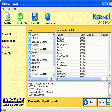
FileBackup-SkyDrive is a free backup software designed for Windows, offering users a reliable solution for data protection. It allows users to easily back up files and folders to the cloud, ensuring that important documents are securely stored and easily accessible. With its user-friendly interface, FileBackup-SkyDrive simplifies the backup process, making it suitable for both novice and experienced users.

Top Recommended Alternative

In addition to its core backup functionality, the software supports various file formats and provides options for scheduling automatic backups. Users can customize their backup settings, including choosing specific directories and setting frequency intervals. This flexibility makes FileBackup-SkyDrive a versatile tool for safeguarding data against loss, whether due to accidental deletion or hardware failure.

Enlarged image for FileBackup-SkyDrive
FileBackup-SkyDrive 0/1

Used FileBackup-SkyDrive for Windows?


Explore More


Full Specifications

GENERAL
Release
Latest update
Version
1.8.7.3
OPERATING SYSTEMS
Platform
Windows
Operating System
  • Windows Server
  • Windows 10
  • Windows Vista
  • Windows 7
Additional Requirements
Windows Live SkyDrive account
POPULARITY
Total Downloads
933
Downloads Last Week
0

Report Software

Program available in other languages


Last Updated


User Reviews

1/5

2 User Votes


Developer’s Description

Backup your data online.
Products for users have the account of MicroSoft windows live skydrive service. Supported backup method.(total 4 method) 1. AFB is realtime autoamtic backup. (this is no setting and default mode and always works automatically.) 2. AllFileBackup ( manual backup - you can backup all data from your pc whenever you want to by this command. ) 3. Scheduling Backup ( manual backup and need to set target folder and working time.) 4. realtime oneway FolderSync ( manaul backup and need to set target folder) - comming soon! AFBSoft series 1. This is the best tool to do realtime backup, one-click restoration, auto-save, management without any user is interaction. 2. Products for users use web-storage such as skyDrive. [Common Features] Realtime automatic file backup. Auto-save every 3 minute of current working file. One-click Restoration. Scheduling-File backup function. Automatic classification files accroding to Application type. File synchronization. Can view the previous, recent, current backup file list and open it directly. This has the function that copy digital camera is photo-files into backup-storage and sort by date automatically when you plug it in PC. [Backup destination list] Favorites, Powerpoint, MS-word, Excel, Publisher, Fileinfo, Onenote, Notepad, Wordpad, AcrobatWriter * Professional version contains the following lists Ultraedit, Editplus, Picasa, Autocad, Illustrator, Photoshop, Flash, Indesign, Sketchup, Eclipse, Dreamweaver [System environment] Supported OS : Windows XPXP(Microsoft .NET Framework2.0(or over), Vista, Win7 Supported backup drive : Local harddisk drive, Network drive (USB-type disk drive is data doesn't backup).

Download.com
Your review for FileBackup-SkyDrive
Download.com

AI Assisted Content Disclosure

Content created and reviewed by Softonic with information obtained from ITsoul, using AI.

CNET's editorial team was not involved in the creation of this content. Opinions, analysis and reviews were not provided by CNET.