Used Efficient Sticky Notes for Windows?
Editors’ Review
Whereas people used to--and often still do--cover their desks with sticky notes, it's now possible to put virtual sticky notes on your computer's desktop as well. Efficient Sticky Notes is an easy way to post reminders to yourself where you're sure to see them.
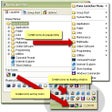
Efficient Sticky Note's interface is attractive and intuitive, reminding us quite a bit of Microsoft Outlook. Previews of the notes are displayed in an upper pane, while a lower pane shows the full body of a selected note. Users can choose whether or not they want each note to appear on the desktop, making the program useful for keeping notes that you don't necessarily need immediately. We liked that the program lets users change the background color and opacity of the sticky notes, and it's also quite handy that users can attach files to notes. We do wish that the program had a better way for handling lengthy notes, though. The sticky notes display the entire text of the note, which can get quite unwieldy if a note is more than a couple sentences long. An option to cut the note off after a certain number of characters or words would be most welcome; users could then, as they can now, click on the note to view the entire contents. Efficient Sticky Notes comes with a Help file that is well-written and thorough. Overall, this program didn't knock our socks off, but it's not a bad choice for users seeking a simple sticky note utility.
Efficient Sticky Note installs and uninstalls without issues. We recommend this program to all users.
What’s new in version 5.60.0.556
Used Efficient Sticky Notes for Windows?