Used Easy SystemCleaner for Windows?


Editors’ Review

Download.com staff
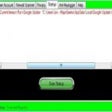
Easy SystemCleaner is a straightforward application designed to clean your computer, remove unwanted data, and prevent system crashes. It offers automated cleaning schedules for optimal performance.
  • Pros

    • Deletes search bar and browser history
    • Removes saved passwords across major browsers
    • Clears auto-complete data forms
    • Features an automatic cleaning scheduler
    • Erases chat history for popular messengers
  • Cons

    • Does not mention disk defragmentation
    • Focuses on history and password removal
    • Limited information on advanced system checks

Used Easy SystemCleaner for Windows?


Explore More


Full Specifications

GENERAL
Release
Latest update
Version
7.3
OPERATING SYSTEMS
Platform
Windows
Operating System
  • Windows 7
  • Windows 10
  • Windows 98
  • Windows XP
  • Windows Vista
Additional Requirements
None
POPULARITY
Total Downloads
386
Downloads Last Week
0

Report Software

Program available in other languages


Last Updated


Developer’s Description

Cleanup your computer and keep it safe from crashes.
Easy SystemCleaner features delete search bar history, get rid of ScanDisk or checkDisk file fragments, removes saved passwords in Internet Explorer,FireFox and Google Chrome, clear auto complete data forms, clear search history, clean your computer automatically at specified intervals with scheduler, and erase your chat history on both MSN Messenger and Yahoo. Easy System Cleaner was designed from the ground up to be safe and secure to use. It has multiple levels of checks in place to ensure that it cannot delete any useful information or documents you may still need. Rest assured that our software contains no Spyware or Adware.

Download.com
Your review for Easy SystemCleaner