
Used Domain Status Reporter for Windows?


Domain Status Reporter Analysis

AI Assisted Content ·

Not written by CNET Staff.

Domain Status Reporter is a free Windows application designed for network monitoring and management. This utility enables users to check the status of multiple domains, providing real-time information about their availability and performance. It offers features such as customizable monitoring intervals, alert notifications, and a user-friendly interface that simplifies the process of tracking domain health.

Top Recommended Alternative
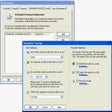
The application supports a variety of domain types, allowing users to monitor both top-level and subdomains. Users can easily add or remove domains from the monitoring list, ensuring that they stay informed about critical changes. With its lightweight design, Domain Status Reporter runs efficiently on Windows systems, making it a practical choice for network administrators and IT professionals seeking to maintain domain integrity.

Enlarged image for Domain Status Reporter
Domain Status Reporter 0/1

Used Domain Status Reporter for Windows?


Explore More


Full Specifications

GENERAL
Release
Latest update
Version
1.0
OPERATING SYSTEMS
Platform
Windows
Operating System
  • Windows 2000
  • Windows XP
  • Windows 10
Additional Requirements
None
POPULARITY
Total Downloads
78
Downloads Last Week
0

Report Software

Program available in other languages


Last Updated


Developer’s Description

Monitor the domain name status of global top level domains.
Domain Status Reporter is an application to extract and display top level domain information. A list of all domain status codes is available (active and registrar-hold). Registrar name: in some cases (example: Info domains) this could be a registrar code. The supported domains include Com, Net, org, Edu, Info, and Biz.

Download.com
Your review for Domain Status Reporter
Download.com

AI Assisted Content Disclosure

Content created and reviewed by Softonic with information obtained from Softnik Technologies, using AI.

CNET's editorial team was not involved in the creation of this content. Opinions, analysis and reviews were not provided by CNET.