Used dnspchecker for Windows?
dnspchecker Analysis
AI Assisted Content ·
Not written by CNET Staff.
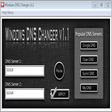
Dnspchecker is a free network utility designed for Windows users, providing a straightforward interface for checking DNS records. This program allows users to perform DNS lookups, enabling them to verify domain name resolutions and troubleshoot network issues effectively. With support for multiple DNS types, including A, AAAA, MX, and TXT records, Dnspchecker caters to a wide range of user needs, from casual users to network administrators.
Top Recommended Alternative
The application features a simple yet effective design, allowing users to input domain names and retrieve DNS information quickly. Additionally, Dnspchecker supports batch processing, enabling users to check multiple domains simultaneously, which enhances productivity. Its lightweight nature ensures it runs efficiently on Windows systems without consuming significant resources, making it a practical tool for anyone needing to manage or analyze DNS configurations.
Used dnspchecker for Windows?
Explore More

AS-CopyIP
Free
IP Traffic Monitor
Trial version
Internet Connection Monitor
Trial version
Happytime RTMP Pusher
Trial version
IPSentry Network Monitoring Suite
Trial version
ADUC ScanAdmin
Trial version
Snaked Net Check
Free
CountryWhois
Trial version
Subnet Calculator
Free
Find My Ports
Free
Quick Tftp Server Pro
Trial version
Promcis Netflow Monitor
Trial version