Used Clock for Note 3 for Android?
Clock for Note 3 Analysis
AI Assisted Content ·
Not written by CNET Staff.
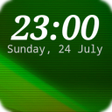
Clock for Note 3 is a live wallpaper application designed specifically for Android devices, featuring a unique OpenGL graphics engine. This program delivers a visually appealing clock interface that enhances the aesthetic of device screens. Users can select from various clock designs, ensuring personalization to match individual tastes. The live wallpaper operates smoothly, providing an interactive experience without draining battery life significantly. The customization options allow users to adjust settings to create a personalized look and feel.
Top Recommended Alternative
Geared towards those who enjoy dynamic wallpapers, Clock for Note 3 offers an engaging way to display time on Android devices. The application is free to download, making it accessible for a wide range of users. Its compatibility with multiple Android versions ensures that it can be utilized across various devices, enhancing the overall user experience with its unique graphics and smooth performance.
Used Clock for Note 3 for Android?
Explore More

Stickman Live Wallpaper
Paid
Tron Legacy Live Wallpaper
Paid
Celestial Bodies Live Wallpaper
Paid
Backdrops
Paid
Rain of Diamonds Live Wallpaper
Paid
Make a Wish Live Wallpaper
Paid
Gacha Nymph Wallpapers
Free
Frankie Beer Live Wallpaper
Paid
Vampire Eyes Live Wallpaper
Paid
Winter Fantasy Live Wallpaper
Paid
Paperscape
Free
Lava Lamp Abstract Live Wallpaper
Paid