Used Digital Clock Widget Xperia for Android?


Digital Clock Widget Xperia Analysis

AI Assisted Content ·

Not written by CNET Staff.

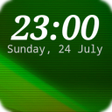
Digital Clock Widget Xperia is a free Android application designed for personalization, allowing users to add a functional and stylish clock to their home screens. This widget features a digital clock display that includes useful information such as weather updates and battery level indicators. Users can customize the appearance of the clock with various font options and color choices, enhancing the visual appeal of their device while providing essential time and weather data at a glance.

The app's primary functionality revolves around its weather clock feature, which offers quick access to current weather conditions. While the design is generally well-received, some users have noted that the color choices could be improved for better customization. Overall, Digital Clock Widget Xperia serves as a practical tool for those looking to personalize their Android devices with a functional and aesthetically pleasing clock widget.

Enlarged image for Digital Clock Widget Xper…
Digital Clock Widget Xperia 0/4

Used Digital Clock Widget Xperia for Android?


Explore More


Full Specifications

GENERAL
Release
Latest update
Version
6.9.18.674
OPERATING SYSTEMS
Platform
Android
Operating System
Android 15.0
POPULARITY
Total Downloads
371
Downloads Last Week
1

Report Software

Program available in other languages


Last Updated


Developer’s Description

A simple, but highly customizable digital clock widget with Sony Xperia look and feel.

A simple, but highly customizable digital clock widget with Sony Xperia look and feel.

- Choose between small (2x1), big (4x2), wide (4x1) and tall (2x2) resizable digital clock widgets with 18 possible fonts

- Adjust the time and date font size and color and select your preferred time and date format

- Option to show brief weather information and weather forecast on tap

- Option to show semi-transparent backplate with adjustable color

- Option to launch your alarm app, calendar app, your favourite weather app, or any app of your choosing by tapping parts of the widget

- Option to add the widget to your lock screen (Android 4.2, 4.3 and 4,4 only*, supported on selected devices)

- Backup & restore settings

- Paid "Premium" upgrade that unlocks options for:

- Custom (user-selectable) font + 25 additional fonts

- Ability to show current time and weather in multiple locations

- Ability to show battery level info

- Weather notifications

- Adjustable transparency level for the backplate

- Removes advertisements

Note: Please keep in mind that adding the shortcut to the settings window to your home screen will not automatically add the actual widget to your home screen! If you don't know how to add the widget to your home screen, please use the "Help" option in the settings window.

If you have a question or a problem with the app, please contact us via email (support@sunspotstudio.net). We will gladly help you.

Note: The required permissions are necessary for:

- Downloading weather forecasts / current weather information

- Detecting current location for the weather forecast

- Letting the user use custom fonts (Premium only)

- The Premium in-app purchase

- Backing up & restoring settings

- Location data may be used for providing you more relevant ads

* With the release of Android 5.0 Google removed the support for custom lock screen widgets

Help us translate the app in your language or improve the current translation by going to: http://bit.ly/digital_clock_xperia_translate

Note: On some devices you may have to restart your device after installing for the widget to show up in the widget list!

Xperia is a trademark or registered trademark of Sony Mobile Communications AB


Download.com
Your review for Digital Clock Widget Xperia
Download.com

AI Assisted Content Disclosure

Content created and reviewed by Softonic with information obtained from Lazar Dimitrov, using AI.

CNET's editorial team was not involved in the creation of this content. Opinions, analysis and reviews were not provided by CNET.