Used DIGI Clock Widget for Android?


DIGI Clock Widget Analysis

AI Assisted Content ·

Not written by CNET Staff.

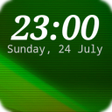
DIGI Clock Widget is a free personalization app designed for Android devices, providing users with a customizable digital clock display directly on their home screen. This widget is notable for its user-friendly interface that allows for easy adjustments to size, font, and color, ensuring that the clock fits seamlessly into the user's home screen aesthetic. It features large, easy-to-read numbers, making it particularly suitable for those who prefer clarity and visibility at a glance.

In addition to standard time display features, DIGI Clock Widget includes options for customization that enhance usability, such as different color themes and styles. Users can also set alarms and manage wake-up functions through the widget, providing a multifunctional tool that goes beyond mere timekeeping. Overall, it serves as a practical addition for those looking to personalize their Android device with a stylish and functional clock display.

Enlarged image for DIGI Clock Widget
DIGI Clock Widget 0/4

Used DIGI Clock Widget for Android?


Explore More


Full Specifications

GENERAL
Release
Latest update
Version
3.6.1
OPERATING SYSTEMS
Platform
Android
Operating System
Android 15.0
POPULARITY
Total Downloads
8
Downloads Last Week
0

Report Software

Program available in other languages


Last Updated


Developer’s Description

"DIGI Clock Widget" is free set of five highly customizable digital time and date widgets...

"DIGI Clock Widget" is free set of five highly customizable digital time and date widgets:

2x1 widget - small

4x1 widget - wide optionally with seconds

4x2 widget - big

5x2 widget - for tablets and especially for Galaxy Note

6x3 widget - for tablets.

Features lots of customizations, like:

- widget preview during setup

- select widget click actions: tap on widget to load alarm application, widget settings or any installed application

- allows you select your preferred colors for time and date

- shadow effect with selectable color

- outlines

- locale preference, set date output in your language

- plenty of date formats + customizable date format

- show/hide AM-PM

- 12/24 hour selection

- alarm icon

- show time with seconds option (for 4x1 widget)

- widget background with selectable color and opacity from 0% (transparent) to 100% (completely opaque)

- use picture as widget background

- 40 great fonts for time and date ...

- ... or use your favorite font saved on memory card

- ready for Honeycomb, ICS, Jelly Bean and Lollipop Android versions

- recommended for tablets

- lock screen widget for Android Jelly Bean 4.2+

... and even more ...

Problems with installation?

This is home screen widget and not the application, please read the instructions on how to use the widget:

Older phones (before Android 4.0 ICS) and Android 4.4 KitKat:

To add a widget, touch and hold an empty location on a home-screen. Menu will pop-up, select Widgets.

"Choose Widget" menu will popup. From there, find and select "DIGI Clock" widget of desired size.

Newer phones and tablets, Android 4.0 and later (Ice Cream Sandwich, Jelly Bean):

Touch the All Apps icon on your Home screen.

Click Widgets tab at the top of the screen.

From the main Widgets screen, you can swipe left until you find "DIGI Clock

Touch and hold the desired widgets icon, slide your finger where you want to place it, and lift your finger.

If there are missing "DIGI Clock" in list of widgets, try to restart phone, it might help.

To add the widget to your Android 4.2+ device's lock screen, simply swipe to the left-most page of your lock screen and touch the big "+" icon. Then, select "DIGI Clock" add the widget. You can make this the primary lock screen widget, replacing the default clock, by first touching-and-holding it and then dragging it horizontally to the very rightmost position.

NOTICE

Do NOT move this app to SD-card! Widgets won't work once you move them to SD card.

Please exclude this widget from any task killers, this will resolve the time freezing issue in most instances.

When you want help us with localization of "DIGI Clock Widget" to your language, visit please this site:

https://crowdin.net/project/digi-clock-widget

Thanks for using DIGI Clock Widget!


Download.com
Your review for DIGI Clock Widget
Download.com

AI Assisted Content Disclosure

Content created and reviewed by Softonic with information obtained from ForestTree, using AI.

CNET's editorial team was not involved in the creation of this content. Opinions, analysis and reviews were not provided by CNET.