Used ClickNTalk for Windows?


Editors’ Review

Download.com staff
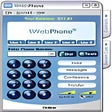
ClickNTalk enables free voice calls to toll-free numbers in select countries without internet disconnection. It also offers text chat and web co-browsing with merchants.
  • Pros

    • Free voice calls to toll-free numbers
    • Maintains internet connection during calls
    • Supports text chat and web co-browsing
    • Includes file transfer and whiteboard features
    • Offers network address translation support
  • Cons

    • Limited to toll-free numbers
    • Call support restricted to specific countries
    • Merchant interaction required for co-browsing

Used ClickNTalk for Windows?


Explore More


Full Specifications

GENERAL
Release
Latest update
Version
5.5
OPERATING SYSTEMS
Platform
Windows
Operating System
  • Windows 2000
  • Windows 98
  • Windows ME
  • Windows 10
  • Windows NT
  • Windows 95
Additional Requirements
Windows 95/98/Me/NT/2000
POPULARITY
Total Downloads
26,503
Downloads Last Week
0

Report Software

Program available in other languages


Last Updated


User Reviews

1/5

2 User Votes


Developer’s Description

Make free voice calls to toll-free numbers without disconnecting from the Internet.
ClickNTalk allows you to make a voice call to any toll-free number in the United States, Singapore, Taiwan, and Japan, without disconnecting from the Internet. You can engage in text chat or co-browse the Web with ClickNTalk merchants. You may also search for toll-free numbers using keywords such as company name, product, and so on. ClickNTalk version 5.5 contains features that include file transfer and whiteboard; support for network address translation.

Download.com
Your review for ClickNTalk