Used Chess Tournaments (Windows setup) for Windows?


Chess Tournaments (Windows setup) Analysis

AI Assisted Content ·

Not written by CNET Staff.

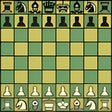
Chess Tournaments is a free Windows application designed for chess enthusiasts looking to organize and manage tournaments efficiently. This program allows users to create and manage tournament brackets, track player scores, and generate results. It supports various tournament formats, making it versatile for different types of chess competitions. The user-friendly interface ensures that both novice and experienced tournament organizers can navigate the features with ease.

Top Recommended Alternative

In addition to tournament management, Chess Tournaments offers tools for scheduling matches and displaying standings in real time. Users can customize tournament rules and settings, accommodating specific needs or preferences. The application is completely free, making it accessible for schools, clubs, and individual players who want to enhance their chess-playing experience.


Used Chess Tournaments (Windows setup) for Windows?

Explore More


Full Specifications

GENERAL
Release
Latest update
Version
2.0
OPERATING SYSTEMS
Platform
Windows
Operating System
  • Windows 10
  • Windows Server
  • Windows 98
  • Windows Vista
  • Windows 7
  • Windows 8
  • Windows ME
  • Windows NT
  • Windows 2000
  • Windows XP
  • Windows 2003
Additional Requirements
Java 8
POPULARITY
Total Downloads
63
Downloads Last Week
0

Report Software

Program available in other languages


Last Updated


Developer’s Description

Organize any chess tournaments without using real chess rules.
This is a chess program to help you to organize any chess tournaments without using real chess rules, go to the support page of this program. The support page also has more information about this program.

This program creates a 'Data' folder to save settings of this program and notes of tournaments and players.Players could play with each other on a single device or playing by multiple devices by a network.

This program shows squares that mouse points on them and that helps to prevent any mouse mistakes that happen when playing chess by computers! Although you could do moves by keyboard too.This program never shows legal moves, so you have to know chess rules before starting the game! That is the main rule in chess tournaments because no one could ask legal moves during the game. However, this program shows the last move in a separate part to inform you about the moved which played.

This program has all the functionalities that you need to manage a database, but you cannot analyze games by chess engines or creating variations for them.

This program uses PGN format and its standard but in some cases, there is not any definite standard and this program uses some similar formats in those cases.

This program has all time controls in chess clocks, but if you need more complex time controls, you could use them as well, because this program allows you to start a game from any position by two different time controls. Therefore, you could handle any time control any time in any position. After finishing your game, you could import all moves into the initial game and see your game in one single game but not in multiple segments.

You could paste raw PGN game by using the 'Add moves' section. This section is smart and you even don't need to set up the initial position of the game.


Download.com
Your review for Chess Tournaments (Windows setup)
Download.com

AI Assisted Content Disclosure

Content created and reviewed by Softonic with information obtained from Bdshahab, using AI.

CNET's editorial team was not involved in the creation of this content. Opinions, analysis and reviews were not provided by CNET.