Used BrowserTraySwitch for Windows?


BrowserTraySwitch Analysis

AI Assisted Content ·

Not written by CNET Staff.

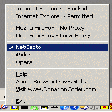
BrowserTraySwitch is a free utility designed for Windows users who frequently switch between different web browsers. This program simplifies the process by allowing users to quickly change the default browser directly from the system tray. It supports a variety of browsers, making it versatile for different user preferences. The straightforward interface enhances usability, ensuring that even those who are not tech-savvy can navigate it easily.

In addition to its primary function of switching browsers, BrowserTraySwitch offers customizable settings, enabling users to specify which browsers to include in the tray menu. It also provides a simple way to access browser-specific settings and features. Overall, this utility streamlines browser management, making it a practical tool for anyone looking to optimize their web browsing experience.

Enlarged image for BrowserTraySwitch
BrowserTraySwitch 0/1

Used BrowserTraySwitch for Windows?


Explore More


Full Specifications

GENERAL
Release
Latest update
Version
2.05.01
OPERATING SYSTEMS
Platform
Windows
Operating System
  • Windows 2003
  • Windows 10
  • Windows XP
  • Windows Vista
  • Windows 7
  • Windows 98
  • Windows 2000
  • Windows 95
Additional Requirements
None
POPULARITY
Total Downloads
90
Downloads Last Week
1

Report Software

Program available in other languages


Last Updated


Developer’s Description

Change the default browser selection right from the system tray.
BrowserTraySwitch is a system tray utility to help you quickly change your default browser. The icon of the tool shows the currently selected default browser. Double-click to launch the current default browser.

Download.com
Your review for BrowserTraySwitch
Download.com

AI Assisted Content Disclosure

Content created and reviewed by Softonic with information obtained from DonationCoder, using AI.

CNET's editorial team was not involved in the creation of this content. Opinions, analysis and reviews were not provided by CNET.