Used Brightness Curve Adjust for Mac?


Brightness Curve Adjust Analysis

AI Assisted Content ·

Not written by CNET Staff.

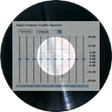
Brightness Curve Adjust is a full-featured media player designed for Mac users who seek enhanced control over their display settings. This application allows users to adjust the brightness levels of their screens dynamically, providing a customizable experience tailored to individual preferences. With its intuitive interface, users can easily create and apply various brightness curves to suit different lighting conditions, making it an ideal tool for both casual viewers and professional users who require precise visual adjustments.

Top Recommended Alternative

The program supports a variety of display configurations, ensuring compatibility across different Mac models. Users can set specific brightness levels for different times of the day or for particular applications, improving visibility and reducing eye strain. The flexibility of the software allows for adjustments that can enhance the viewing experience for multimedia content, making it a valuable addition to any multimedia toolkit.


Used Brightness Curve Adjust for Mac?


Explore More


Full Specifications

GENERAL
Release
Latest update
Version
2.0
OPERATING SYSTEMS
Platform
Mac
Operating System
  • Mac OS X
  • Mac OS X 10.4
  • Mac OS X 10.2
  • Mac OS X 10.3
  • Mac OS X 10.3.9
Additional Requirements
iMovie 3 OS X 10.2
POPULARITY
Total Downloads
122
Downloads Last Week
0

Report Software

Program available in other languages


Last Updated


Developer’s Description

By cf/x
iMovie photoshop-level brightness control
Brightness curve adjust is an iMovie plug-in that lets you exert photoshop-level control over brightness in your clips. A pixel's brightness is determined by it's composition of red, green, and blue values. A perfect digital image has a linear brightness range running straight from zero to 255. However, most devices (and especially photo paper) do not perceive light in a linear fashion. The straight line becomes distorted. This plug-in can either distort or repair a clip's brightness curve. Brightness curve adjust sports one 256 by 256 array for individual brightness settings, plus pre-set and parametric calculation routines (plus the ability to load from or save your pre-sets to disk) Note: Brightness curve adjust is more powerful, but less intuitive to use than our 'Brightness Equalizer' plug-in. If your main goal is to adjust a digital clip to normal film media brightness behavior, you should use our brightness equalizer plug-in.

Download.com
Your review for Brightness Curve Adjust
Download.com

AI Assisted Content Disclosure

Content created and reviewed by Softonic with information obtained from cf/x, using AI.

CNET's editorial team was not involved in the creation of this content. Opinions, analysis and reviews were not provided by CNET.