Used Equalizer for Mac?
Editors’ Review
With Equalizer for Mac you can correct the equalization levels of vinyl records you've imported into a digital format, using general-purpose amplifiers. A purpose-built utility, it only accepts a handful of file formats and even then there are other restrictions, like the number of channels and the sample size and rate. So don't expect to use it as an everyday equalizer.
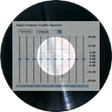
Equalizer for Mac features a main window where you'll find all equalization settings sorted in four groups. Despite being logically organized, the interface can overwhelm you, at first, with its many sliders and buttons. On the upside, the app comes prepopulated with the most popular filters and it allows you to import and export others as well as create your own. Another nice feature is that when equalizing a track, the app creates a copy to which it applies all the modifications, leaving the original intact. In our tests the equalization took a small amount of time; we were able to process a three-minute track in approximately ten seconds and we did notice a discernible difference.
By its very definition and purpose, Equalizer for Mac appeals to a specific audience: music lovers who capture vinyl records using suboptimal amplifiers and preamplifiers. It's a really handy app, but the very busy interface might turn off novices.